December 14, 2025

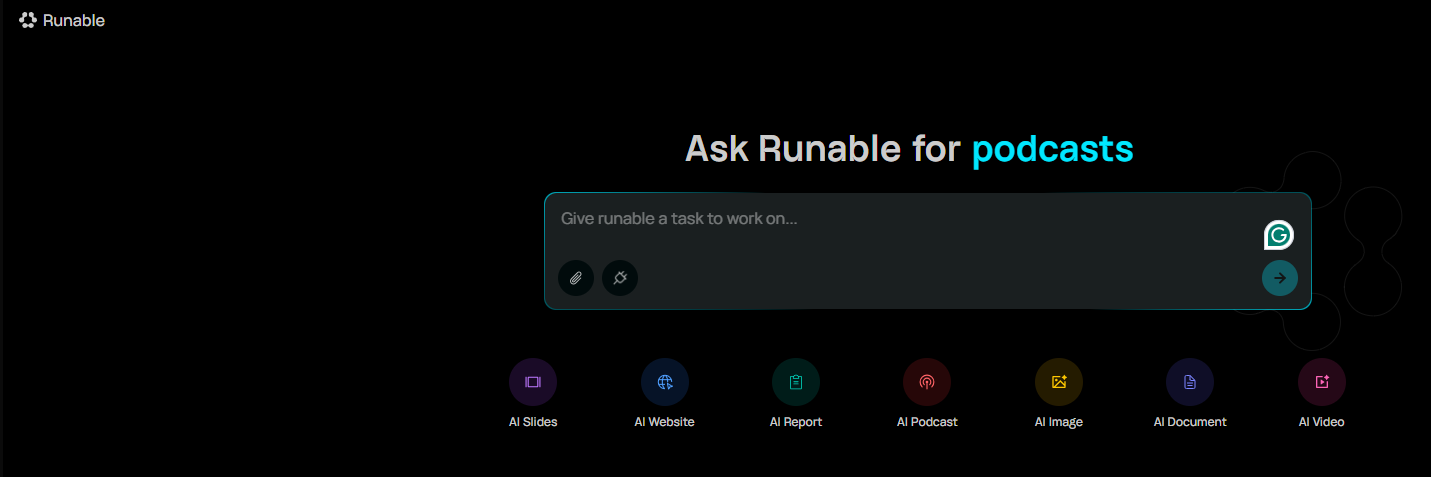

Welcome to the future of digital creation! If you've ever felt overwhelmed by the idea of building a website, designing a presentation, or automating your tasks, Runable AI is here to change that. This powerful AI tool is designed for everyone, from beginners to seasoned enthusiasts. It simplifies the entire process of web app development and content creation. Get ready to transform your ideas into reality with an intuitive automation workflow that makes productivity accessible to all.
Before you jump in, it's helpful to understand what makes Runable AI tick. Knowing its core capabilities will show you how it can revolutionize your daily digital task management and streamline your creative process. This isn't just another tool; it's a new way of working.
By exploring its features, you'll see how this AI agent is designed to improve your workflow and set a new benchmark for what you can accomplish. Let’s look at what Runable AI is and how it can help you.
Runable AI is a general AI agent designed to think and execute almost any digital task for you. Think of it as a personal assistant you can delegate work to. The platform's main purpose is to make you more productive by handling the heavy lifting of creation and automation.
What is Runable AI and how does it help build web apps in real time? With just a single, simple prompt, you can generate editable websites, slides, reports, documents, and even multimedia like podcasts and videos. It takes your instruction and builds the asset almost instantly, turning a complex process into a simple command.
The overarching vision is to create a world where everyone has a Runable AI agent to handle their tasks. This focus on powerful, accessible AI automation is what makes it a game-changer for users at any skill level.
Runable AI fundamentally changes the web app development landscape by replacing complex, time-consuming processes with simple prompts. Instead of spending hours or days on coding and design, you can describe what you want, and the platform builds it for you. This shift dramatically accelerates your workflow from concept to completion.
How does Runable AI improve productivity compared to traditional development tools? It sets a new benchmark for speed and efficiency. Tasks that once required specialized skills are now accessible to anyone. You can generate a marketing plan, a website, or branded content instantly, freeing you up to focus on the bigger picture.
This level of automation empowers small businesses and individuals to achieve results that previously only larger teams could. It eliminates friction and allows you to bring your biggest ideas to life without delay.
Runable AI comes packed with features designed to handle a wide range of tasks. Its strength lies in its versatility, acting as an all-in-one AI agent for your creative and professional needs. Whether you're preparing a business presentation or launching a new website, Runable has a tool for the job.
A key part of its power is its ability to connect with other tools. Does Runable AI offer integration with other AI agents or tools? Yes, it can connect with over 3,000 apps and more than 200 Large Language Models (LLMs), ensuring a seamless workflow and expanding your automation possibilities.
Here’s a quick look at its main features and some integration capabilities.
Main Features
Integrations
AI-Generated Slides
Connects with over 3,000+ apps
Instant Website Builder
Routes to 200+ LLMs for diverse outputs
Automated Reports & Documents
Mobile automation capabilities
Podcast & Video Creation
Desktop sandbox for secure use
Image Generation
Works with various AI guardrails for safety
Ready to start your journey with Runable AI? Getting started is surprisingly straightforward, even if you have no prior experience. This guide will walk you through the initial steps to help you create your first project and begin automating your tasks. You don't need to be a tech expert to get great results.
We will cover everything from the initial setup to writing scripts (prompts) that bring your ideas to life. Follow along to learn how this powerful AI agent can simplify your workflow and enhance your productivity through smart automation.
Before diving into creating with your new AI agent, you'll need just a few things to ensure a smooth start. The good news is that the requirements are minimal, making the platform highly accessible. You primarily need a computer with a stable internet connection.
The first practical step is the account setup. How do I get started with Runable AI for building web apps? You’ll need to visit the Runable website and create an account. The process is designed to be quick so you can get to the fun part faster.
Make sure you have these items ready:
Once your account is set up, you can create your first project. This is where you'll experience the magic of Runable AI firsthand. The platform's interface is designed to guide you through the project setup, making it intuitive even for first-time users.
To begin, navigate to the main dashboard. From there, you will select the type of digital task you want to accomplish. Whether it's creating a slide deck, a website, or a report, you'll find clear options to get you started on the right path.
The next step is the most important: writing your prompt. This is the core of your workflow. For example, if you want to build a website, you might type, "Create a website for a small coffee shop with a modern design." After you enter your prompt and hit "Run," Runable will begin its work.
After creating your first project, the next step is to explore the full potential of automation. Runable AI supports automation of everyday digital tasks by letting you use simple prompts, or "writing scripts," to execute complex actions. This is how you build an efficient and repeatable workflow.
You can refine your outputs by editing the generated content. For example, if the AI created a slide deck, you can change text, images, and colors directly within the platform. This flexibility allows you to fine-tune the results until they perfectly match your vision.
Here are some primary digital tasks you can automate:
One of Runable AI’s most powerful features is its ability to connect with other tools. This integration capability enhances your automation power, allowing your AI agent to work with the software and platforms you already use. It creates a truly connected and efficient ecosystem.
The process is built to be seamless. Runable's underlying gateway technology allows it to communicate with thousands of different applications and hundreds of other AI models. This means you can pull data, send information, and trigger actions across various platforms without leaving Runable.
Here are some examples of what you can do with integrations:
To truly get the most out of Runable AI, there are a few tips and tricks you can use to boost your productivity. The platform is powerful, but a smart approach will help you achieve an even higher benchmark in your work. The key is to be clear and creative with your instructions.
Users and even the team behind Runable AI emphasize that the prompt is the most crucial step. Being specific and detailed in your request will yield better, more relevant results. Also, don't be afraid to experiment with the different options and inspirations available to find a style that works for you.
Here are some proven techniques to maximize your productivity:
KeywordSearch has an AI Audience builder that helps you create the best ad audiences for YouTube & Google ads in seconds. In a just a few clicks, our AI algorithm analyzes your business, audience data, uncovers hidden patterns, and identifies the most relevant and high-performing audiences for your Google & YouTube Ad campaigns.
You can also use KeywordSearch to Discover the Best Keywords to rank your YouTube Videos, Websites with SEO & Even Discover Keywords for Google & YouTube Ads.
If you’re looking to SuperCharge Your Ad Audiences with AI - Sign up for KeywordSearch.com for a 5 Day Free Trial Today!
In conclusion, diving into the world of Runable AI opens up exciting possibilities for anyone looking to streamline their web app development process. By understanding its core features and following the step-by-step guide, you can effectively harness the power of automation to increase your productivity. Remember, experimenting with different projects and integrating various AI tools will enhance your skills and confidence in using Runable AI. As you embark on this journey, stay curious, keep learning, and don’t hesitate to seek out resources or community support whenever you need assistance. Happy coding!
No, coding experience is not required. Runable AI is designed for everyone, regardless of technical skill. The platform uses a simple prompt-based workflow, allowing you to control the AI agent with natural language. This focus on user-friendly automation makes it accessible for any digital task on your desktop.
Runable AI boosts productivity by turning hours of work into minutes. The AI agent handles the heavy lifting of any digital task, from design to content creation. This automation sets a new benchmark for efficiency, streamlining your workflow and letting you accomplish more with less effort.
For those looking to save significant time and effort on web development and other digital tasks, Runable AI offers a strong return on investment. Its ability to quickly handle complex automation allows you to create high-quality assets efficiently, making it a valuable tool for any project or business.
You can find official resources and documentation on the Runable.com website. For community support, news, and updates from the AI agent's creators, their LinkedIn page is an excellent place to connect. Their GitHub repository also offers insights for those interested in the technical side of the automation platform.