January 29, 2026

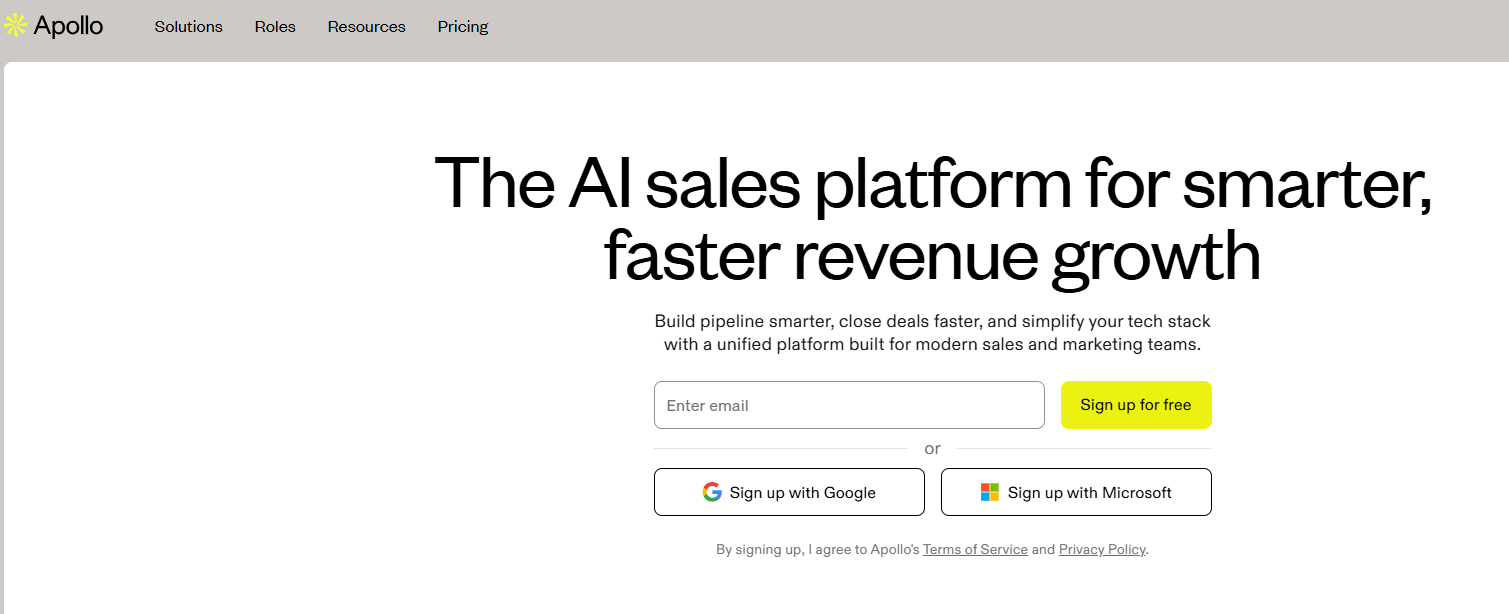

Here's a quick look at what makes Apollo.io a powerful tool for your sales toolkit:
Are you looking for a way to supercharge your sales process and find more qualified leads? Meet Apollo.io, a dynamic sales intelligence and engagement platform designed to help sales teams like yours thrive. Whether you're struggling with lead generation or want to automate your outreach, this tool offers a comprehensive solution. This guide will walk you through everything you need to know to get started with Apollo.io and use it to hit your sales targets.
Apollo.io is a data-first sales intelligence platform that combines a massive contact database with powerful sales automation tools. It's built to help sales teams execute, analyze, and improve their growth strategies from a single, unified hub.
Think of it as your all-in-one solution for finding potential customers and connecting with them effectively. By acting as a comprehensive data provider, it simplifies lead generation and automates outreach, allowing you to focus more on closing deals. Let's explore its purpose, automation capabilities, and who can benefit most from it.
At its core, Apollo.io is a B2B sales platform that integrates sales intelligence with powerful engagement features. Its primary purpose is to help you identify, connect with, and close deals with your ideal customers more efficiently. The platform provides a foundation for strong lead generation by offering access to a database of over 275 million contacts.
A key piece of its functionality is the Apollo Chrome Extension. This tool allows you to research prospects directly on LinkedIn and other websites, pulling verified contact information without switching tabs. This makes your sales engagement process smoother and faster.
Furthermore, Apollo.io excels at data enrichment. It gathers more than 200 data points for each contact, giving your team the insights needed to personalize outreach and make informed decisions, transforming how you approach sales.
One of the biggest strengths of Apollo.io is its focus on sales automation. The platform is designed to handle many of the repetitive tasks that can slow your sales team down, freeing them up to concentrate on selling rather than administrative work. This approach to workflow automation helps you engage prospects at the right time without missing opportunities.
Imagine automating your entire email outreach sequence. With Apollo.io, you can create multi-step campaigns that send personalized messages, follow-ups, and other communications automatically. This ensures consistent engagement with your leads.
Here’s how it automates your key sales activities:
Apollo.io is a versatile platform that caters to a wide range of users, making it highly suitable for lead generation across different industries. Its extensive database and powerful filters make finding ideal customers a straightforward process. If you're wondering if it's right for you, consider who benefits most from its features.
Sales managers and their sales teams can leverage the platform to streamline prospecting, manage leads effectively, and close deals faster. For sales professionals, it’s a tool that automates tedious work and provides the data needed for personalized outreach. Marketing teams can also use it to segment audiences and analyze campaign effectiveness.
Here are a few examples of who will find Apollo.io particularly useful:
Apollo.io is packed with features designed to elevate your sales game. This suite of sales tools provides everything you need for end-to-end sales workflows, from prospecting to analytics. It combines sales intelligence with practical applications to make your team more productive and successful.
You'll find powerful capabilities for lead generation, including a vast database of phone numbers and emails, along with advanced data enrichment. The platform also includes robust sales engagement features to connect with prospects. Let’s look at some of the core features that drive sales success.
Finding accurate contact information is the first step to successful outreach, and Apollo.io excels here. The platform offers a massive B2B contact database with over 275 million contacts, giving you access to millions of verified email addresses and direct-dial phone numbers.
You can dive into this database using more than 65 advanced search filters. Need to find marketing managers in the software industry in a specific city? You can build that list in minutes. This level of precision ensures you’re targeting the right people, which directly impacts your sales performance.
Here's how you can use the database effectively:
Once you've found your leads, the next step is to connect with them. Apollo.io's sales engagement tools are designed to streamline both outbound and inbound campaigns, helping you nurture prospects and boost response rates. You can manage your entire outreach strategy from one unified platform.
A standout feature is the ability to create customizable email sequences. These multi-step campaigns automate your outreach, allowing you to send personalized emails, schedule calls, and assign LinkedIn tasks to nurture leads over time. This ensures no prospect falls through the cracks.
Key sales engagement features include:
To maximize efficiency, your sales tools need to work well together. Apollo.io offers valuable CRM integration capabilities, allowing you to sync data with popular CRMs like Salesforce, HubSpot, and Zoho. This ensures your sales records are always up-to-date without tedious manual work.
The Apollo Chrome Extension is particularly useful for sales outreach on LinkedIn. It integrates Apollo’s data directly into your browser, so you can access prospect information, request contact details, and add leads to sequences while browsing LinkedIn profiles or company websites.
Here’s a look at how Apollo.io integrates with key platforms:
Platform
How It Integrates
The Chrome extension lets you find contact data and engage with prospects directly from their profiles.
Gmail/Outlook
Send emails from your own mailbox and track engagement within Apollo.
Salesforce/HubSpot
A two-way sync keeps contact and activity data consistent between your CRM and Apollo.
Apollo.io’s workflow automation is designed to boost your team's productivity by eliminating repetitive tasks. You can automate critical steps in your sales process, such as updating deal stages or sending follow-up emails, which allows your team to focus on building relationships and selling.
The platform lets you customize these automations to fit your specific needs. For example, you can set up triggers that engage prospects at the perfect moment, ensuring no opportunity is missed. This level of sales automation helps improve efficiency across your entire team.
For more advanced strategies, you can also use features like A/B testing within your outreach campaigns. This lets you test different messages or subject lines to see what works best, helping you optimize your approach over time. While there might be a learning curve for complex workflows, the productivity gains are significant.
Understanding what’s working and what isn’t is crucial for success. Apollo.io provides robust analytics and reporting features that give you a clear view of your sales performance. Pre-built reports and dashboards offer valuable insights into team activity, campaign effectiveness, and prospecting data.
One of the most powerful features is lead scoring. Apollo.io uses AI models to score and prioritize leads based on how well they match your ideal customer profile. This helps your sales team focus their efforts on the prospects most likely to convert into customers.
With Apollo's analytics, you can:
Ready to jump in and start using Apollo.io? Getting started is a straightforward process. This powerful collection of sales tools is accessible to sales teams of all sizes, and you can even explore its features with a free trial to see if it’s the right fit for you.
Before you can harness its lead generation and data enrichment capabilities, you'll need to create an account, choose a subscription, and make sure you have the right setup. Here’s a breakdown of what you need to get going.
Your journey with Apollo.io begins with creating an account, which is a simple and quick process. You can sign up directly on the Apollo.io website to gain access to its suite of sales tools. The initial account setup is designed to be intuitive, guiding you through the first steps.
During the onboarding process, you'll be prompted to connect your email and calendar, which is essential for enabling the platform's sales engagement and automation features. This allows Apollo.io to send emails on your behalf and track your activities seamlessly.
To get started, simply:
Once your account is set up, you can begin exploring the platform and preparing to launch your first campaign.
Apollo.io offers several pricing plans to fit different needs and budgets, so choosing the right one is key to getting the most value. Whether you're an individual just starting or part of a large enterprise, there's a plan for you.
The Free plan is a great starting point for individuals or early-stage startups. It provides a limited number of export credits and basic features to get a feel for the platform. For growing teams, the Basic plan offers more credits and access to data enrichment. If you need more advanced features like A/B testing and a dialer, the Professional plan is a better fit. Large organizations can opt for the Organization plan, which includes API access and custom reporting.
Here's a quick guide to help you choose:
You don't need any special equipment or deep technical expertise to start using Apollo.io. The platform is web-based, so the primary system requirements are a modern computer and a stable internet connection. Most features are accessed through your desktop browser.
To get the full experience, using a browser like Google Chrome is recommended, as it allows you to install the Apollo Chrome Extension. This extension is a core part of the workflow for many sales teams, integrating Apollo’s features directly into LinkedIn, Gmail, and other websites.
Here are the essentials:
No complex installations are needed, making it easy for anyone on your team to get started quickly.
While Apollo.io is primarily a desktop-based platform, it does offer some mobile access to help sales teams stay productive on the go. The Professional and Organization plans include mobile credits, indicating functionality designed for mobile devices.
These app features are geared toward essential tasks that a sales professional might need to perform away from their desk. For example, you can likely access your contacts, check on campaign progress, and manage tasks. The integration with Google Calendar also means your scheduled calls and meetings will appear on your phone.
Key aspects of mobile access include:
Though not a full-featured mobile app that mirrors the desktop experience, the available mobile functionalities help ensure you never miss an important update or opportunity.
Now that you're familiar with what Apollo.io is, let's walk through how to use it for effective sales prospecting. This step-by-step guide will help you transform your sales strategies by leveraging the platform’s powerful lead generation and sales automation capabilities.
From setting up your profile to analyzing your results, each step is designed to help you find and connect with qualified leads more efficiently. Follow this process to build a strong foundation for your data enrichment and outreach efforts.
The first step after your initial account setup is to customize your profile and preferences. This is a crucial part of the process because it helps Apollo.io tailor its recommendations and search results to your specific needs. By defining your target audience, you make the platform work smarter for you.
In your settings, you can specify criteria such as the ideal job title, industry, and company size of the prospects you want to target. This information helps the platform’s algorithms suggest more relevant leads for your sales teams.
To properly set up your profile:
Taking a few minutes to complete this step will save you a lot of time later and ensure your prospecting is highly focused from the start.
With your profile set up, it’s time to dive into lead generation. This is where you'll use Apollo.io’s extensive database and advanced search filters to build lists of qualified prospects. This step is at the heart of streamlining your sales processes.
Navigate to the search section of the platform and start applying filters. You have over 65 options to choose from, including location, technologies used, and company keywords. As you apply filters, you can see the number of potential leads update in real-time, allowing you to fine-tune your search until you have a perfectly targeted list.
To find qualified leads, you should:
Once you have a list of prospects, the next step is to ensure you have the most complete and accurate data for them. This is where Apollo.io’s data enrichment feature comes in. It automatically adds missing information to your contact records, such as job titles, company details, and verified email addresses.
High data accuracy is essential for successful outreach. Enriched data allows you to personalize your messaging, which can significantly improve your engagement rates. For instance, knowing a prospect's specific role helps you tailor your pitch to their pain points.
To enrich your contacts:
This step also contributes to more effective lead scoring, as the platform has more data points to evaluate each prospect.
Now that you have an enriched list of qualified leads, it's time to launch your outreach campaigns. Apollo.io functions as a powerful sales engagement platform, allowing you to connect with prospects across multiple channels, including email, phone, and LinkedIn.
You can create automated email campaigns using the sequence builder. This feature lets you design a series of touchpoints that are sent automatically over a set period. You can personalize these messages with dynamic fields to make them feel more individual.
To launch a successful campaign:
The final step in the process is to track your sales performance and optimize for better results. Apollo.io’s analytics dashboard provides valuable insights into every aspect of your outreach, from email deliverability to engagement metrics.
Use the reporting tools to see which sequences are performing best, which email templates are generating the most replies, and how your team is progressing toward its goals. This data-driven approach allows you to make informed decisions and continuously improve your strategy.
To optimize your results:
By consistently tracking and optimizing, you can ensure your sales efforts are as effective as possible.
While Apollo.io is an excellent all-in-one platform, the world of sales intelligence is filled with powerful sales tools. Understanding how Apollo.io stacks up against its competitors can help you decide if it’s the best fit for your specific needs.
Different outreach tools excel in different areas, from the depth of their CRM data to their approach to data enrichment. Let’s compare Apollo.io to two other major players in the space, ZoomInfo and Lusha, and explore some recent trends.
When it comes to lead generation, both Apollo.io and ZoomInfo are top contenders, but they serve slightly different needs. ZoomInfo is known for its comprehensive company and contact data, making it a strong choice for large enterprises that require deep market intelligence for their sales strategies.
Apollo.io, on the other hand, is often praised for its combination of a robust database and integrated sales engagement tools at a more affordable price point. This makes it particularly attractive for small to mid-sized sales teams who need an all-in-one solution.
Here are the key differences:
Comparing Apollo.io and Lusha for B2B data often comes down to your specific workflow. Lusha is highly regarded for its ability to quickly source direct contact information, especially from social media platforms like LinkedIn. Its Chrome extension is a favorite among recruiters and sales reps who need fast access to phone numbers and emails.
Apollo.io offers a more comprehensive platform. While it also provides B2B data and a Chrome extension, its strength lies in its integrated system for data enrichment, sequencing, and analytics. If you need an end-to-end sales solution, Apollo.io is a strong contender.
Key differences include:
According to user reviews and social media discussions, Apollo.io continues to be a popular sales engagement platform, but there are some important trends to note. One significant development reported in early 2025 was the delisting of its LinkedIn company page. This has led to some conversations about the platform's long-term data practices.
On the positive side, users frequently praise the platform for its extensive database and the continuous addition of new features. The combination of data and engagement tools in one place remains a major draw for many sales professionals.
Common points from recent discussions include:
Understanding the pricing plans for Apollo.io is essential for making the right choice for your budget and needs. The platform offers a tiered structure, from a free trial to plans with advanced features, ensuring there's an option for sales teams of all sizes.
Whether you’re a solopreneur who can start with the free version or a growing team that needs the capabilities of the Basic plan or higher, evaluating what each tier offers is key. Let’s break down the differences to help you decide.
Apollo.io offers a clear distinction between its free plan and paid plans. The Free plan is an excellent entry point, giving you a chance to explore the basic sales tools and see how the platform works. It includes a limited number of export credits per month and access to basic sequences.
Upgrading to a paid plan unlocks a significant number of additional features and higher limits. The paid tiers (Basic, Professional, and Organization) provide many more export credits, advanced search filters, data enrichment, and robust automation capabilities.
Here’s a snapshot of the differences:
Choosing the right plan depends on your team's size, goals, and sales strategies. Sales managers should assess their team’s current needs and future growth plans before committing to one of the pricing plans.
For small sales teams or startups just getting started, the Free or Basic plan often provides enough functionality to build momentum. These plans are great for fundamental prospecting and outreach. Growing teams that require more advanced automation, analytics, and team collaboration features should consider the Professional plan. It offers tools like A/B testing and call recordings that can significantly enhance performance.
To select the right plan:
Hearing from real sales professionals who use Apollo.io every day provides valuable insights that you won't find in a feature list. User reviews and online discussions often highlight the platform's practical strengths and weaknesses, touching on everything from customer support to email deliverability.
By looking at these experiences, you can get a better sense of how the platform performs in the real world and learn tips for getting the most out of it. Let’s explore some common themes from these discussions.
Sales professionals in the US have a lot to say about Apollo.io, with both praise and criticism appearing frequently in reviews. On the positive side, many users commend the platform's extensive database and advanced filtering capabilities, which help their sales teams find highly targeted leads and improve response rates.
However, some common criticisms also emerge. A recurring theme is the platform’s learning curve; with so many features, it can take time for new users to feel proficient. Others mention that customer support can be slow on the lower-priced plans, and some have experienced occasional data inaccuracies despite the platform's use of machine learning.
Here's a summary of common feedback:
To get the most out of Apollo.io, it’s helpful to follow some best practices shared by experienced users. These tips can help you navigate its powerful sales tools and achieve better results in your sales outreach and engagement efforts.
One of the most important tips is to balance automation with personalization. While sequences are great for efficiency, taking the time to customize your messages based on the valuable insights you've gathered will dramatically improve your success rate.
Here are a few tips to maximize value:
KeywordSearch has an AI Audience builder that helps you create the best ad audiences for YouTube & Google ads in seconds. In a just a few clicks, our AI algorithm analyzes your business, audience data, uncovers hidden patterns, and identifies the most relevant and high-performing audiences for your Google & YouTube Ad campaigns.
You can also use KeywordSearch to Discover the Best Keywords to rank your YouTube Videos, Websites with SEO & Even Discover Keywords for Google & YouTube Ads.
If you’re looking to SuperCharge Your Ad Audiences with AI - Sign up for KeywordSearch.com for a 5 Day Free Trial Today!
In conclusion, leveraging Apollo.io can significantly enhance your sales efforts by streamlining processes and providing access to valuable data insights. Its user-friendly interface, powerful features, and automation capabilities make it an essential tool for sales teams looking to improve efficiency and drive results. By using Apollo.io effectively, you can build quality leads, engage prospects, and ultimately boost your sales success. If you're ready to take your sales process to the next level, reach out today to get a free trial and see how Apollo.io can work for you!
Yes, Apollo.io is very suitable for small businesses and startups. The free plan provides access to essential sales tools for lead generation without any cost, making it a great starting point. As sales teams grow, they can scale up to affordable paid plans that offer more advanced features.
Apollo.io offers strong contact data accuracy, using verification processes to clean its database. However, like any large database, some inaccuracies can occur. While it is competitive, some users find platforms like ZoomInfo or UpLead may offer higher data accuracy guarantees, especially with features like real-time verification.
Yes, Apollo.io offers seamless CRM integration with many popular CRMs, including Salesforce, HubSpot, and Zoho. This allows you to sync data automatically, streamline your sales processes, and keep all your outreach campaigns and customer information aligned without extra manual work.
Customer support options for new users in the United States vary by plan. While all users have access to some level of support, those on higher-tier plans receive more dedicated and priority assistance. The platform also offers onboarding resources to help sales professionals overcome the initial learning curve.