January 15, 2026

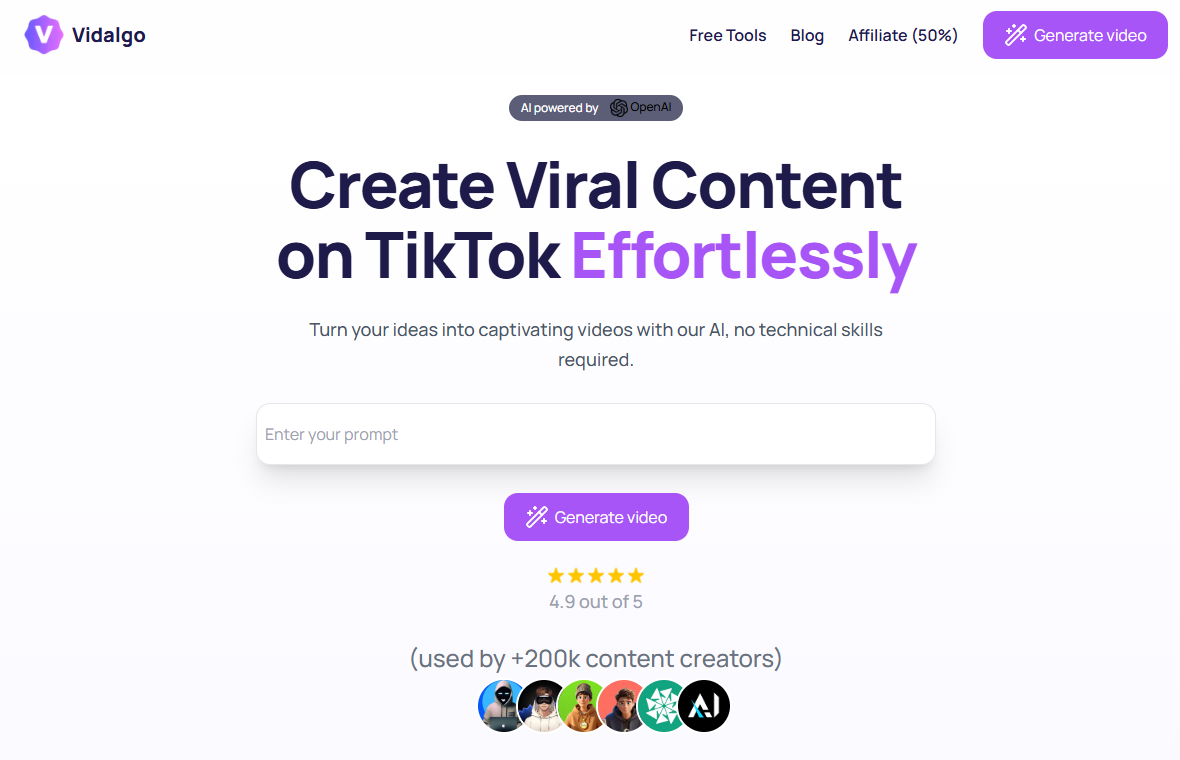

Here’s a quick look at what makes Vidalgo AI a great choice for your video creation needs. This powerful AI tool is designed with beginners in mind, simplifying the entire video editing process.
Are you looking for an easy way to create amazing videos without the hassle of complex software? Meet Vidalgo, the AI tool that is changing the game for video creation. Vidalgo AI simplifies the process, allowing you to turn your ideas into engaging video content with just a few clicks. Whether you're a marketer, a content creator, or a small business owner, this guide will show you how to use Vidalgo to produce stunning videos effortlessly.
Vidalgo is a smart AI tool that automates the entire video creation process. It’s a web-based application designed to help you make short-form vertical videos for social media. The platform uses automation to handle everything from writing scripts to adding visuals, making it perfect for content creators who want to produce content quickly.
With its user-friendly design, Vidalgo removes the technical barriers often associated with video production. You can generate multiple video variations fast, allowing you to test different styles and messages. Let's look at what makes this tool special and its key features.
What truly sets Vidalgo apart is its highly efficient and automated workflow, which is specifically built for short-form vertical videos. Unlike other tools that require manual editing, Vidalgo combines scripting, visual selection, and voiceover generation into a single, seamless process. This approach is ideal for creators who want to produce content at scale without getting bogged down by technical details.
The platform is perfect for the growing trend of "faceless" content, where the focus is on storytelling rather than a person on screen. This unique positioning allows marketers and creators to produce a high volume of engaging videos that resonate with audiences on platforms like TikTok and YouTube Shorts. Vidalgo simplifies complex tasks, empowering you to create polished content with speed.
Furthermore, its advanced features are integrated into an intuitive interface. This means you don't need any prior video editing experience to get started. Vidalgo handles the heavy lifting, letting you focus on your creative ideas and messaging, streamlining your entire production workflow.
Vidalgo is packed with features that make video editing and enhancement a breeze. This AI tool uses automation to handle the most time-consuming parts of video production, so you can focus on creativity. From generating scripts to adding professional voiceovers, Vidalgo has you covered. The platform offers a variety of tools to help you customize your content and make it stand out.
You have access to a rich library of music and pre-designed templates that are optimized for social media engagement. The AI can even suggest catchy titles and hashtags to improve your video's visibility. This combination of features makes Vidalgo an all-in-one solution for your video needs.
Here are some of the standout features you can use:
Jumping into Vidalgo is simple, even for absolute beginners. The platform is designed to be intuitive, so you won't need any special technical skills to start your video creation journey. Since it's a web-based app, there's no software to download or install, making access incredibly easy.
All you need is a supported device and an internet connection to begin. The setup process is quick, allowing you to move from signing up to creating your first video in no time. Let’s go over the basic requirements and how to create your account.
One of the best things about Vidalgo is its accessibility. Because it's a fully cloud-based application, you don’t have to worry about complicated installations or powerful hardware. You can access the platform from any device with a modern web browser, which means you can create videos on your computer, tablet, or even your phone. This flexibility is perfect for creators on the go.
The user-friendly interface is designed to work smoothly across different supported devices, ensuring a consistent experience no matter how you access it. This removes the need for any advanced technical skills, as the platform handles all the processing in the cloud. As long as you have a stable internet connection, you're ready to start creating.
Here’s a simple breakdown of what you need to use Vidalgo.
Requirement
Details
Platform
Web App (Browser-Based)
Operating System
Works on any modern OS (e.g., Windows, macOS, ChromeOS)
Supported Browsers
Chrome, Firefox, Safari, Edge
Internet Connection
Required for access and video processing
Creating your Vidalgo account is a straightforward process designed for beginners. To get started, simply visit the Vidalgo website and look for the sign-up option. The platform offers a free trial with restricted features that doesn't require a credit card, making it easy to test the waters without any commitment. This initial setup is quick, so you can dive right into the creative workflow.
Once you've registered, you'll gain access to the main dashboard. Here, you can explore the interface and familiarize yourself with the available tools. The layout is clean and intuitive, guiding you naturally through the video creation steps. This hassle-free account creation process ensures you can start bringing your ideas to life almost immediately.
Your new account will be your central hub for managing projects, accessing features, and exploring different video templates. Take a moment to look around before starting your first project. This will help you feel more comfortable and confident as you begin your video production journey with Vidalgo.
Ready to make your first video? Vidalgo's video generator simplifies the entire workflow into a few easy steps. The platform guides you from a simple idea to a finished video, ready for sharing. You don't need any prior experience to follow along and achieve professional-looking results.
This process is designed to be fast and efficient, allowing you to produce high-quality content without a steep learning curve. Let’s walk through each step, from uploading your media to finalizing your creation.
The first step in your video creation journey with Vidalgo is providing the content. You can start with a simple text prompt, a topic, or even a link. The AI takes this input and automatically generates a script for your video. This feature is a massive time-saver and eliminates the need for you to write your own content from scratch.
If you have your own images or video clips, you can upload them directly to the platform. Alternatively, Vidalgo offers a built-in stock library where the AI can select relevant visuals that match your script. This flexibility allows you to create unique videos that align with your brand or message without needing any technical skills.
Whether you're starting with a blank slate or using one of the available templates, this initial step is all about getting your core ideas into the system. From there, Vidalgo’s AI takes over to begin assembling the different elements of your video.
After the initial media is selected, it's time to add your personal touch. Vidalgo’s AI tool provides a suite of customization options to make your video truly unique. You can modify the text overlays, change fonts and colors to match your brand, and add engaging effects or transitions between scenes. This level of control ensures your final product looks polished and professional.
The platform also offers a wide selection of royalty-free background music to set the right tone for your video. You can easily browse the library and pick a track that enhances your message. For creators looking to make faceless content, the AI-generated voiceovers are a key feature, but you can also adjust subtitles and other on-screen elements to perfect your video.
Here are some of the customization options available:
Once you've customized your video, the final step is to review and finalize it. Vidalgo offers a preview function that lets you watch your entire video before you export it. This is your chance to catch any mistakes or make last-minute adjustments. You can easily go back and tweak the timing, visuals, or text to ensure everything is perfect.
This streamlined workflow makes the video editing process feel effortless. You can make changes quickly and see the results in real-time. The preview feature is crucial for ensuring your video meets your creative vision and is ready for your audience. It helps you maintain a high standard of quality for all your video production projects.
When you're happy with the preview, you can finalize your video. Vidalgo will then process it and provide you with a high-quality file ready for sharing. The platform also has built-in export features that support instant sharing across key social media channels, making distribution just as easy as creation.
Vidalgo AI is an excellent tool for boosting your social media presence. It specializes in creating short-form vertical videos, which are perfect for platforms like TikTok, Instagram Reels, and YouTube Shorts. The AI-driven process helps you produce engaging video content quickly, so you can post consistently and stay relevant.
By using Vidalgo, you can increase your visibility and reach a wider audience. The platform even helps you generate catchy titles and hashtags to optimize your posts for better performance. Let's explore how to optimize your videos and create viral content.
Optimizing your videos for different social media platforms is key to maximizing engagement, and Vidalgo makes it easy. The platform is specifically designed to produce vertical videos, the ideal format for TikTok, Instagram Reels, and YouTube Shorts. This ensures your content looks great on mobile devices, where most users will be watching.
Vidalgo’s optimization features go beyond just the video format. The AI can generate platform-specific titles and hashtags, helping your content get discovered by the right audience. For instance, you can create a video and let the AI suggest hashtags that are trending on TikTok or Instagram, boosting your chances of appearing on "For You" pages.
Here’s how Vidalgo helps you optimize your content:
Creating viral video content is part art, part science, and Vidalgo gives you the tools to master both. The key to high engagement is consistently producing fresh, captivating content, and Vidalgo's fast workflow makes this possible. You can quickly turn trending topics or ideas into polished videos, helping you stay ahead of the curve.
For marketers and creators, A/B testing is a powerful strategy for boosting visibility. Vidalgo allows you to generate multiple variations of a video with different visuals, scripts, or calls-to-action. By testing these versions, you can see what resonates most with your audience and refine your strategy for future content.
Here are some tips to increase your chances of going viral:
With so many AI-powered video tools on the market, you might wonder what makes Vidalgo stand out. While many platforms offer video generation, Vidalgo focuses on a specific niche: automated, short-form vertical videos for social media. This specialization gives it an edge for creators targeting platforms like TikTok and Instagram.
Other tools may offer more advanced features for general video editing or focus on different use cases, like corporate presentations. Let’s examine the key differences and advantages of Vidalgo, as well as some free alternatives and their limitations.
Vidalgo's main advantage is its hyper-focused, automated workflow. It integrates scripting, visual selection, and voiceovers into one streamlined process, which is a significant difference from many competitors. This allows creators to produce content at an impressive scale without getting lost in complex settings or a technical interface.
While tools like RunwayML offer advanced features for artistic effects, they often come with a steeper learning curve. Vidalgo, on the other hand, prioritizes speed and simplicity, making it the ideal choice for social media managers, marketers, and small businesses who need to publish content consistently. The platform is built from the ground up for vertical video generation.
Here are the key advantages of using Vidalgo:
While Vidalgo offers a powerful solution, it's helpful to know about other options. There are several free alternatives available, but they often come with limitations. For example, some tools may focus more on template-based video editing rather than full automation, requiring more manual work from the user. Others might have more restrictive free plans with watermarks or lower video quality.
Tools like InVideo are great for structured marketing videos, but they lack Vidalgo's seamless AI scripting and assembly for short-form content. Synthesia excels at creating corporate training videos with AI avatars but is less suited for the creative, fast-paced world of social media. Each alternative serves a different purpose, and their limitations highlight Vidalgo's unique strengths in its niche.
Here’s a look at some alternatives and their common limitations compared to Vidalgo's focused approach.
Alternative Tool
Common Limitations
InVideo
More template-driven; less automated script and visual generation.
Synthesia
Focuses on corporate videos with avatars; not ideal for social media.
RunwayML
More technical interface; geared toward artistic and experimental video editing.
CapCut Online
Requires more manual editing; less AI automation for content generation.
Vidalgo offers a flexible subscription model to fit different needs and budgets. The pricing is structured in tiers, allowing you to choose a plan that aligns with your video creation goals. Each paid plan operates on a credit-based system, where a certain number of credits are required to generate a video.
Understanding the different plans will help you decide which option is right for you. It's also important to know how to access new features and stay connected with the community. Let's break down the subscription options and how to keep up with the latest from Vidalgo.
Vidalgo uses a tiered subscription model with monthly billing. For those just starting, there is a free plan that provides access to basic AI tools like caption and title generation. This is a great way to explore the platform's capabilities before committing to a paid subscription. The paid plans are designed for more frequent users, such as small businesses and content creators.
The paid tiers operate on a credit system, where unused credits expire at the end of each billing cycle. The Starter Plan is an affordable entry point, while the Business/Creator Plan offers more credits for users with higher production needs. It's important to note that all subscriptions are non-refundable, and you'll be notified a month in advance of any price changes.
Here is an overview of the pricing plans.
Plan
Price (Monthly)
Key Features
Free Plan
$0
Access to basic AI tools for captions and titles.
Starter Plan
$19
Provides a set number of credits (100 credits per video).
Business/Creator Plan
$29
Includes more credits than the Starter Plan.
Higher-Tier Plan
$59
Offers the highest number of credits (details not specified).
Staying up-to-date with Vidalgo's latest features and updates is easy. As a web-based app, new features are rolled out directly to the platform, so you don't have to worry about manual installations. Vidalgo is actively developing new capabilities, including automatic publishing to social media channels, which will further enhance its utility and help improve your content's visibility.
To find out about the newest updates, you should regularly check the official Vidalgo website. The platform typically announces new features and improvements there. This is also the best place to find information related to community content or forums where you can connect with other creators, share tips, and learn new strategies for making your videos stand out.
While specific community hubs or forums aren't detailed, the official site remains your primary source for all things Vidalgo. Keeping an eye on their announcements ensures you are always taking full advantage of the tool's evolving capabilities and staying ahead in the fast-paced world of social media video.
User feedback for Vidalgo has been largely positive, especially from beginners. The platform holds a high aggregate rating, reflecting strong user satisfaction with its performance and ease of use. Many reviews highlight how the tool simplifies the video creation process, making it accessible to everyone.
Success stories from creators and small businesses often praise the platform's ability to produce engaging content quickly. Let's take a closer look at what new users are saying and explore some common success stories and challenges they've encountered.
Reviews from beginners consistently praise Vidalgo for its simplicity and intuitive workflow. New users often report feeling empowered by the platform's ability to turn a simple idea into a fully-realized video without requiring any technical skills. The automated features, like scriptwriting and visual selection, are frequently mentioned as game-changers that save time and effort.
Many beginners appreciate that they can achieve a professional look for their videos without a steep learning curve. The streamlined video production process allows them to focus on their creative message rather than getting stuck on technical details. This positive feedback underscores Vidalgo's success in making video creation accessible to a broader audience.
Here’s what beginners are highlighting in their reviews:
Success stories abound for Vidalgo users, especially among content creators and small businesses. Marketers have successfully used the platform to quickly create and A/B test ad campaigns, leading to improved engagement and conversions. Similarly, educators have streamlined the production of training materials, creating custom videos for diverse learning needs at scale. These stories highlight Vidalgo's versatility across different industries.
However, users have also noted some challenges. The credit-based system, where unused credits expire monthly, is a common point of discussion. Some users may find it difficult to predict their exact video needs, which can lead to either running out of credits or having them expire. This is a typical challenge with subscription models of this nature.
Here's a summary of common successes and challenges:
KeywordSearch has an AI Audience builder that helps you create the best ad audiences for YouTube & Google ads in seconds. In a just a few clicks, our AI algorithm analyzes your business, audience data, uncovers hidden patterns, and identifies the most relevant and high-performing audiences for your Google & YouTube Ad campaigns.
You can also use KeywordSearch to Discover the Best Keywords to rank your YouTube Videos, Websites with SEO & Even Discover Keywords for Google & YouTube Ads.
If you’re looking to SuperCharge Your Ad Audiences with AI - Sign up for KeywordSearch.com for a 5 Day Free Trial Today!
In conclusion, Vidalgo AI simplifies the video creation process for beginners by offering an intuitive platform filled with powerful features. Whether you're looking to craft engaging content for social media or enhance your TikTok presence, this tool equips you with everything needed to produce stunning videos quickly. By understanding its unique offerings and leveraging its user-friendly interface, you can unlock your creativity and elevate your video projects to new heights. Don’t miss the chance to explore all that Vidalgo AI has to offer—get started today and see how easily you can turn your ideas into captivating visual stories!
Yes, absolutely! Vidalgo is specifically designed for social media video creation. This AI tool excels at producing short-form vertical videos that are optimized for platforms like TikTok, Instagram Reels, and YouTube Shorts. It automates video editing to help you create engaging content quickly.
Vidalgo is an excellent AI tool for making TikTok videos. Its video generation capabilities are tailored for the vertical format used on TikTok. The platform helps you create engaging video content by automating scripting, adding AI-generated hashtags, and assembling clips, making it perfect for producing viral-style videos quickly.
Vidalgo’s pricing includes a free plan with basic features and tiered subscription plans (Starter, Business/Creator). Paid plans are credit-based, with a set number of credits used per video. Higher-tier plans offer more credits. All plans provide access to Vidalgo's core AI video generation features.
You can find Vidalgo’s latest updates and new features by visiting the official Vidalgo website. As a web-based AI tool, updates are applied automatically. The official site is the best source for information on community content, new features, and company announcements.