January 14, 2026

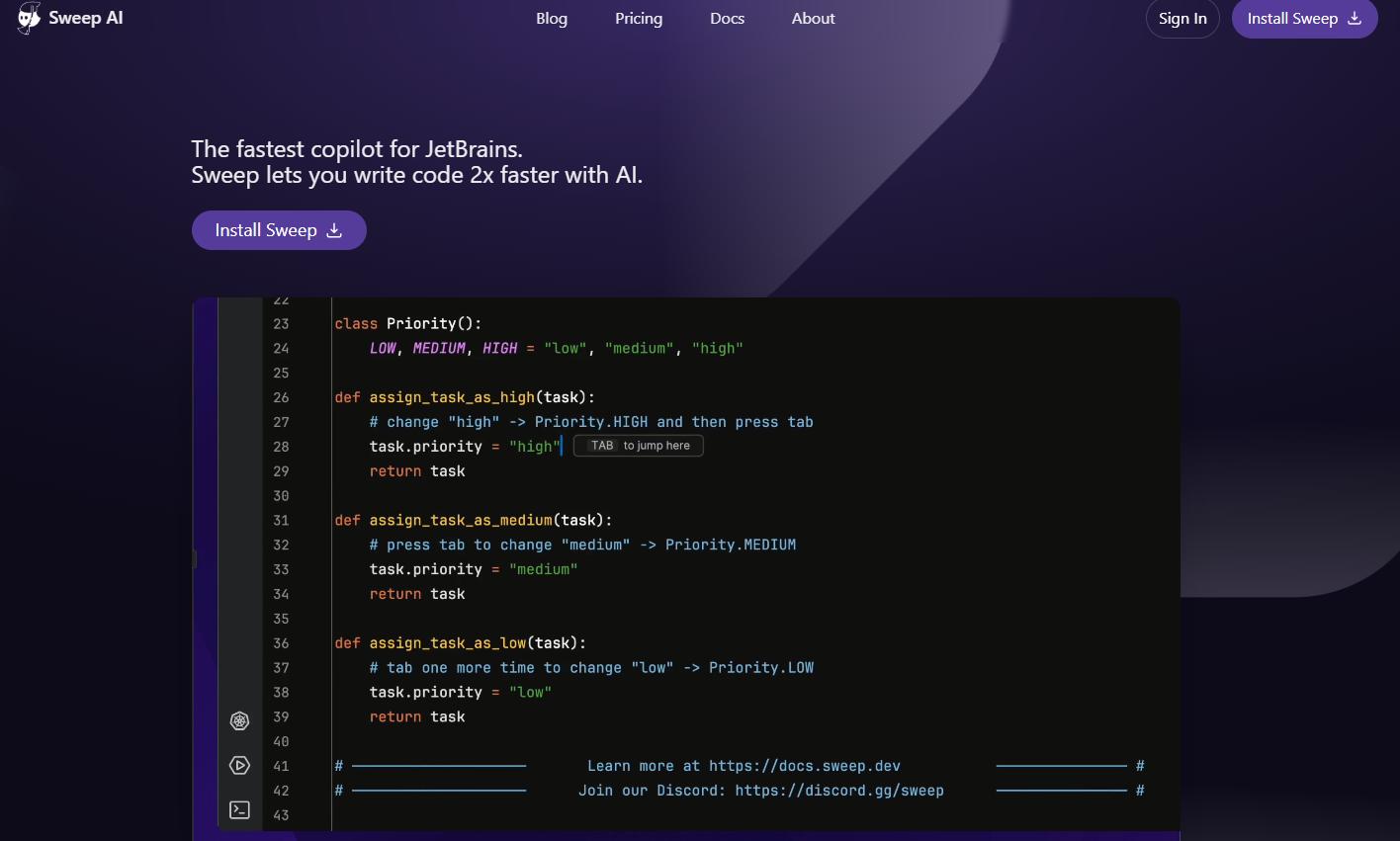

Are you a developer using JetBrains and looking for a better AI coding assistant? You're in the right place. Many existing tools fall short, but Sweep AI is designed to change that. It's a free plugin that integrates directly into your favorite IDE, like IntelliJ or PyCharm, offering a smarter and faster way to code. Instead of working around your AI, Sweep works with you, enhancing your natural workflow without compromise. Let's explore how this tool can transform your daily coding tasks.
For professional developers, having an AI coding assistant that truly understands your environment is crucial. Sweep AI isn’t just another autocomplete plugin; it integrates deeply into the JetBrains ecosystem. This tool is built to navigate your codebase just like a real developer would, offering context-aware suggestions that make sense for your project.
This unique approach means you get more than just simple code snippets. The following sections will explain Sweep’s distinct development philosophy and highlight the key features that make it an indispensable tool for anyone looking to improve their coding workflow in JetBrains.
Sweep AI began with an ambitious goal: to create an AI junior developer. However, the founders, Kevin Lu and William Zeng, quickly realized that a more practical coding assistant was needed today. As long-time JetBrains users, they were surprised that a high-quality, integrated AI tool didn't already exist for their favorite IDE.
Driven by their own needs, they built Sweep as a game changer for professional developers. The tool acts as an intelligent AI agent that stays within your development loop rather than taking you out of it. This philosophy ensures you remain in control while benefiting from powerful AI assistance.
The result is a tool that feels like a natural extension of your IDE. As one staff engineer noted, it provides a massive productivity boost by combining the familiarity of PyCharm with genuinely good autocomplete, a combination that was previously hard to find.
Sweep AI is packed with features designed to accelerate your development process. Its primary advantage is an incredibly fast AI autocomplete system that provides instantaneous suggestions, helping you write code more efficiently. This isn't just basic completion; it's a smart coding assistant that understands your project's context.
The tool offers a significant productivity boost by anticipating your needs. It streamlines your work with features that make a real difference in your daily tasks.
By automating routine tasks like bug fixes and small feature implementations, Sweep frees you up to focus on more complex challenges. It’s like having an extra team member dedicated to making your coding life easier.
Integrating Sweep AI into your daily routine is a seamless process. As a dedicated plugin for JetBrains, it’s built to feel like a native part of your IDE, not a clunky add-on. You can quickly add it to your existing workflow and start benefiting from smarter code suggestions almost immediately.
Whether you're working on a small script or a large-scale application, Sweep is designed to understand your entire codebase. You will find that installing the plugin and getting it to work with your preferred programming languages is straightforward, as we'll cover next.
Getting Sweep AI up and running in your JetBrains IDE is simple. You can find the plugin directly on the JetBrains Marketplace. Just search for "Sweep AI" and click the install button to add it to your development environment.
Once installed, the plugin integrates automatically with your IDE, whether you're using PyCharm, IntelliJ, GoLand, or another JetBrains product. There’s no complex configuration needed to get started. The tool is designed to work out of the box, immediately enhancing your coding with its intelligent features.
The setup process is designed to be frictionless, allowing you to experience the benefits of a powerful AI coding assistant without interrupting your workflow. Within minutes, you'll have access to super-fast autocomplete and other features that will boost your productivity.
One of the great advantages of Sweep AI is its broad compatibility. It is designed to work across the various programming languages supported by the JetBrains family of IDEs. Whether your repositories are written in Python, Java, Go, or other popular languages, Sweep can analyze your codebase and provide intelligent assistance.
This wide-ranging support ensures that you can maintain a consistent and powerful workflow regardless of the project you're working on. The plugin's compatibility extends across several major JetBrains IDEs, making it a versatile tool for diverse development teams. Its ability to understand different languages and project structures is key to its effectiveness.
The table below highlights its compatibility with popular JetBrains IDEs and the corresponding languages.
JetBrains IDE
Common Languages Supported
PyCharm
Python
IntelliJ IDEA
Java, Kotlin, and more
GoLand
Go
With so many AI coding tools available, you might wonder what makes Sweep AI different. While assistants like GitHub Copilot and ChatGPT are powerful, they aren't specifically optimized for the JetBrains environment. Sweep was built from the ground up to provide a superior, integrated experience for users of these IDEs.
This focus results in a plugin that offers distinct advantages in speed, context awareness, and workflow integration. The following sections will provide a direct comparison to other tools and explore the community feedback that highlights Sweep's unique value.
Sweep AI sets itself apart from competitors like GitHub Copilot, ChatGPT, and Cursor Tab in several key ways. Unlike generic tools, Sweep was specifically built for the JetBrains ecosystem, allowing it to leverage the IDE's powerful code indexing capabilities. This gives it a deeper understanding of your entire codebase for more relevant suggestions.
While other tools might take you out of your flow, Sweep is designed to keep you in it. It focuses on providing an AI coding assistant that acts as a true partner, augmenting your skills rather than taking over. Its custom-tuned LLM and unique inference stack deliver suggestions with sub-100ms latency, making it feel instantaneous.
Key differentiators include:
The developer community has responded enthusiastically to Sweep AI. Users praise its speed and intelligence, with feedback highlighting it as a major productivity booster. Christiaan Bilthof, CTO at Leat, stated, "AI is finally useful inside JetBrains — thanks to sweep." This sentiment is echoed by others who have struggled to find a good AI coding assistant for their favorite IDE.
Sweep's journey began with an open-source project on GitHub to build an AI junior developer, which gained over 7,600 stars. This foundation in the open-source community continues to be a part of its identity. You can find the project on GitHub, where you can follow its development and see its origins.
This strong community feedback and open-source roots make Sweep AI more than just a tool; it's a project built with developers in mind. The positive reviews confirm that it solves a real problem for professionals who want a powerful, seamlessly integrated AI plugin for JetBrains.
KeywordSearch has an AI Audience builder that helps you create the best ad audiences for YouTube & Google ads in seconds. In a just a few clicks, our AI algorithm analyzes your business, audience data, uncovers hidden patterns, and identifies the most relevant and high-performing audiences for your Google & YouTube Ad campaigns.
You can also use KeywordSearch to Discover the Best Keywords to rank your YouTube Videos, Websites with SEO & Even Discover Keywords for Google & YouTube Ads.
If you’re looking to SuperCharge Your Ad Audiences with AI - Sign up for KeywordSearch.com for a 5 Day Free Trial Today!
In conclusion, Sweep AI positions itself as an invaluable coding assistant for developers using JetBrains IDEs. With its unique features and seamless integration, it streamlines the coding process, enhances productivity, and offers tailored support across various programming languages. As you incorporate Sweep AI into your workflow, you'll find it not only simplifies coding tasks but also empowers you to tackle complex challenges with confidence. Don't miss out on the chance to elevate your coding experience. If you're ready to revolutionize your development journey, consider trying Sweep AI today!
Yes, the Sweep AI plugin requires an internet connection to function. It communicates with its powerful language models to analyze your codebase and generate intelligent suggestions. However, the tool also offers a privacy mode to ensure your code remains secure while you work.
You can find more information and resources on the official Sweep AI plugin page on the JetBrains Marketplace. For deeper insights into its development, features, and open-source history, the project's GitHub repository is the best place to look for documentation and updates on its workflow.
Sweep AI was founded by William Zeng and Kevin Lu. With backgrounds at Roblox and UWaterloo, they combined their expertise in machine learning and software development to create the AI coding assistant they wanted for their own work. Josiah Parappally, Christiaan Bilthof, and Ashkan Aghdai are users who have provided positive feedback.