December 28, 2025

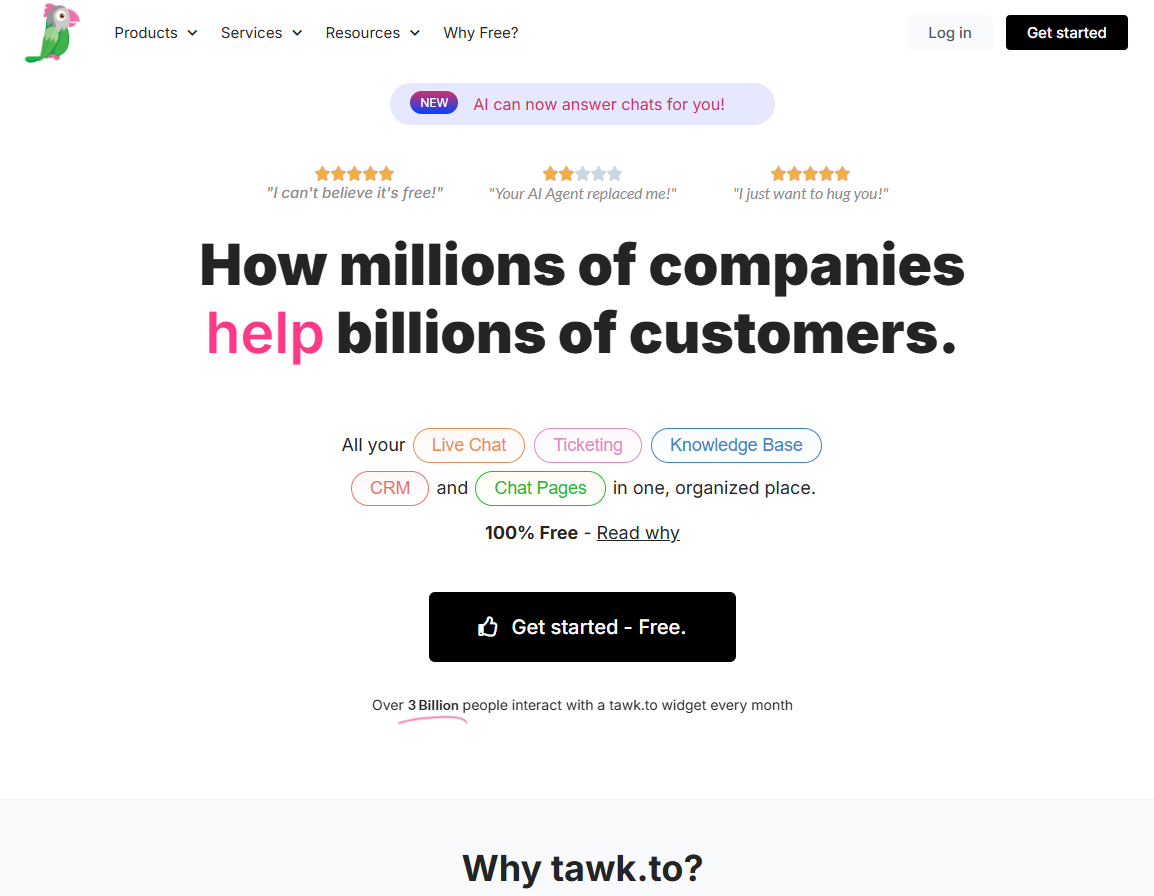

Are you searching for a way to connect with your website visitors instantly? A powerful live chat solution can transform your customer support and elevate the entire customer experience. Tawk.to offers a free and effective way to engage with people in real-time, answer their questions, and guide them through their journey on your site. By adding this simple tool, you can build stronger relationships, increase satisfaction, and show your customers you’re there to help whenever they need it.
Tawk.to has become a leading live chat software, with over 20% of the market share. It provides businesses with a powerful live chat tool to improve customer service and foster direct communication. This platform is designed to make live chat support accessible and effective for everyone.
By using Tawk.to, you can enhance customer engagement and provide immediate assistance. The platform is packed with features that help you connect with visitors, which we will explore in more detail.
The most significant difference between Tawk.to and other live chat tools is its pricing model. The core live chat platform is completely free, without any limits on the number of agents, chat volumes, or websites you can use it on. This approach removes the financial barrier that often prevents small businesses from adopting a live chat service.
Another key differentiator is its combination of powerful features and ease of use. You get access to a customizable live chat widget, real-time visitor monitoring, and a ticketing system—all included in the free version. Many competitors lock these kinds of advanced features behind expensive subscription tiers.
This unique blend of a generous free offering and robust functionality makes Tawk.to a popular choice. You can provide top-notch support without worrying about stacking up subscription costs as your team or business grows.
Adding Tawk.to to your website brings a host of benefits that directly impact customer satisfaction and engagement. By offering instant communication with real people, you significantly reduce response time, which is a critical factor in providing excellent service. This immediate support helps resolve issues faster and makes visitors feel valued.
Engaging with customers in real-time allows you to answer questions as they arise, preventing potential frustration and building trust. Here are some of the pros of using Tawk.to:
However, it's also important to be aware of some potential cons. Users have reported occasional notification issues, particularly on the mobile app, which could affect how you manage chat volumes. Additionally, the basic chatbot functionality may not be as advanced as some paid alternatives.
For small businesses, Tawk.to is an invaluable tool for providing professional customer support without a budget. It allows you to compete with larger companies by offering immediate assistance, which helps build a loyal customer base. Your chat agents can manage multiple conversations at once, ensuring no query goes unanswered.
E-commerce stores can use Tawk.to to guide shoppers, answer product questions, and reduce cart abandonment. Proactive chat triggers can engage customers who are lingering on a page, offering help and potentially closing a sale. This direct interaction enhances the overall customer experience and boosts conversions.
Agencies managing multiple client websites can also benefit greatly. Tawk.to allows you to add the live chat service to an unlimited number of sites, all managed from a single dashboard. This streamlines the process of offering customer support and a help center as part of your service package.
One of the best things about Tawk.to is the impressive range of free features it offers right out of the box. You get more than just a basic live chat function; the platform provides a comprehensive suite of tools designed to improve your customer support from day one. This includes a ticketing system and real-time visitor tracking.
These features are designed to be accessible and powerful, giving you the ability to manage customer inquiries efficiently without spending a dime. Let's look at some of these tools in more detail.
Tawk.to empowers you to connect with website visitors in real time, creating valuable opportunities for customer engagement. The platform allows you to monitor visitor activity as it happens, providing insights into their location, device, and browsing habits. You can even see when someone is typing a message, which helps your agents prepare a timely response.
This focus on real-time interaction is supported by powerful visitor engagement tools that help you manage chat volumes effectively. These features allow you to be proactive and reach out to customers at just the right moment. Some of the key tools include:
By using these features, you can turn passive browsing into active conversations. This not only improves the customer experience but also helps capture leads that might otherwise be lost, making it a powerful tool for boosting engagement.
Beyond live chat, Tawk.to provides a built-in knowledge base and ticketing system to create a comprehensive help center. The knowledge base feature allows you to publish articles, FAQs, and tutorials, giving customers a 24/7 self-service option. This reduces the number of repetitive questions your support team has to answer.
The integrated ticketing system is another powerful feature for customer support. It turns chat conversations that require more follow-up into trackable support tickets. This ensures that no customer inquiry gets lost, even if it can't be resolved in a single chat session.
Together, these features help streamline your user support workflows and improve resolution time. By assigning tickets to specific agents and tracking their progress, you can ensure accountability and a consistent customer experience across all interactions.
Your live chat widget should feel like a natural part of your website, not a tacked-on extra. Tawk.to offers highly customizable widgets that you can tailor to match your brand's look and feel. You have control over the widget's colors, size, position, and content, ensuring it aligns perfectly with your web design.
This level of customization is simple to implement. From the Tawk.to dashboard, you can easily adjust the appearance to create a seamless user experience. You can even change the widget's language to better serve your specific audience, making your live chat feel more personal and integrated.
Making the chat widget your own helps reduce friction and encourages more visitors to start a conversation. When the design is unobtrusive and consistent with your branding, it builds trust and can lead to stronger customer relationships and higher conversion rates. You can even link it to your own knowledge base for further support.
Worried about whether Tawk.to will work with your current website setup? The platform boasts excellent compatibility, offering a live chat plugin for popular content management systems like WordPress, Joomla, and Magento. This makes installation a breeze, even if you're not a technical expert.
In addition to broad integration options for websites, Tawk.to also provides a mobile app for iOS and Android. This allows you to stay connected with your website visitors and manage chats on the go, ensuring you never miss an opportunity to help a customer.
If your website runs on WordPress, adding Tawk.to is incredibly simple thanks to its dedicated live chat plugin. The ease of use means you can have a fully functional chat system up and running in just a few minutes, allowing you to start improving your response time right away.
The process is straightforward and doesn't require any coding knowledge. The plugin handles all the technical aspects, so you can focus on customizing the widget and connecting with your customers. The live chat app on your phone will then let you manage conversations from anywhere.
Here's a quick overview of the installation process:
For e-commerce businesses using Shopify, integrating Tawk.to is just as easy. The platform offers a dedicated integration that enhances your customer service capabilities directly within your Shopify ecosystem. This allows your support team to provide faster and more informed assistance.
The best part of this integration is that it lets your agents view customer order details, shipping information, and more directly from the Tawk.to chat or ticket. This eliminates the need to switch between tabs, creating a more efficient workflow for your customer service team.
Ready to add the live chat widget to your Shopify store? Follow these simple installation steps:
In today's fast-paced world, being able to manage customer support from anywhere is a huge advantage. Tawk.to offers a mobile app for both iOS and Android, allowing you to respond to chats directly from your mobile device. Whether you're away from your desk or experiencing global travel, you can stay connected.
The platform also offers desktop chat apps, including for Mac OSX, so you can manage conversations without keeping a browser tab open. These apps are designed to make your workflow smoother and more organized, no matter where you're working from.
While the mobile app offers great flexibility, it's worth noting that some users have reported occasional instability and delays with push notifications. These issues can sometimes be tied to device settings, but it's something to be aware of if you plan to rely heavily on the mobile app for your support.
Tawk.to is a flexible live chat software that extends its functionality through various integration options. It connects with popular platforms and CRMs, allowing you to streamline your workflows and manage customer interactions across various channels. This ensures that your chat tool works in harmony with the other systems you use.
For those needing more advanced customization, the platform is also developer-friendly. It provides developer APIs and webhooks that allow for custom connections and automations, giving you the power to tailor the software to your unique business needs.
One of the most powerful integration options for Tawk.to is its connection with Zapier. This service acts as a bridge, connecting Tawk.to to over 1,500 other apps and platforms, including popular CRMs like HubSpot and productivity tools like Slack and Google Sheets. This allows you to automate tasks and sync data without writing any code.
This flexibility means you can easily integrate Tawk.to into your existing workflows, regardless of the number of sites you manage. For example, you can automatically create a new lead in your CRM when a chat ends or send a notification to a Slack channel when a new ticket is created.
Here are some of the platforms you can connect with Tawk.to through its native live chat plugin or Zapier:
Category
Examples of Integrations
CMS
WordPress, Joomla, Magento
E-commerce
Shopify, Wix, Squarespace
Automation
Zapier, Make (formerly Integromat)
Productivity
Slack, Google Sheets, HubSpot
If you're a developer or have a tech-savvy team, Tawk.to offers several developer-friendly tools to create custom solutions. The platform provides a public API and webhook support, giving you direct access to chat data and events. This allows you to build advanced features and integrations tailored to your specific needs.
Using webhooks, you can trigger actions in other applications based on events in Tawk.to, such as a chat starting or ending. The API lets you pull chat history, manage agents, and more, opening up a world of possibilities for custom development.
While Tawk.to does not maintain a public GitHub repository of its own code, it fosters a strong developer community. There is a dedicated community support page where developers can provide feedback, suggest new features, and find help for their custom projects. This collaborative environment ensures that the platform continues to evolve with the needs of its users.
Tawk.to steps into the world of automation with its AI Assist feature, which acts as a helpful virtual assistant for your support team. This AI agent is available as an add-on and is designed to improve agent productivity rather than function as fully autonomous chatbots. It's a useful tool for teams looking to handle more conversations efficiently.
AI Assist offers several advanced features to help your agents work faster. It can suggest replies, auto-draft messages based on the conversation, and pull answers from your knowledge base. This helps maintain consistency and reduces the time spent typing repetitive responses.
Here are some of the capabilities of Tawk.to's AI Assist:
The pricing model of Tawk.to is one of its most appealing aspects. The core platform is completely free, which provides great value for businesses of all sizes. You can get started with a powerful live chat solution without any upfront investment or subscription fees for the essential features.
While the free plan is incredibly generous, Tawk.to does offer premium add-ons and paid features for those who need more functionality. This model ensures there are no hidden costs—you only pay for the specific upgrades you choose to add.
Yes, Tawk.to is genuinely free to use. The free plan is not a limited trial; it’s a full-featured solution that provides exceptional value for any business looking to improve its customer support. You get access to all the core tools needed to run an effective live chat service without spending anything.
This generous offering is what makes Tawk.to so popular. You don't have to worry about costs increasing as your team grows or your chat volume increases. It's a truly scalable solution for businesses on a budget.
Here’s a look at what’s included in the free plan:
While the core platform is free, Tawk.to generates revenue through optional premium add-ons. These paid features allow you to enhance the platform's functionality, but they are not required to run the live chat service. This transparent model means you'll find no hidden costs.
For a very small fee, you can access powerful upgrades. For example, you can remove branding from the chat widget for $29 per month, which helps create a more professional look. Other paid add-ons include Video, Voice, and Screen Sharing capabilities, as well as the AI Assist feature.
It's important to weigh these costs against your needs. While the add-ons provide extra power, the free version is more than sufficient for most businesses. Keep in mind that some users report occasional notification issues, but the value offered by the free platform is hard to beat.
When comparing Tawk.to to other free live chat software like Tidio or HubSpot's free tier, its biggest advantage is the lack of limitations on agents and chats. Many competitors offer a free plan but restrict the number of users or conversations, forcing you to upgrade as you grow. Tawk.to removes that pressure entirely.
The platform also stands out for its comprehensive set of key features included at no cost, such as the ticketing system and knowledge base. While some competitors may offer more advanced AI or a more polished live chat app, they often come with a steeper learning curve or are locked behind a paywall.
KeywordSearch has an AI Audience builder that helps you create the best ad audiences for YouTube & Google ads in seconds. In a just a few clicks, our AI algorithm analyzes your business, audience data, uncovers hidden patterns, and identifies the most relevant and high-performing audiences for your Google & YouTube Ad campaigns.
You can also use KeywordSearch to Discover the Best Keywords to rank your YouTube Videos, Websites with SEO & Even Discover Keywords for Google & YouTube Ads.
If you’re looking to SuperCharge Your Ad Audiences with AI - Sign up for KeywordSearch.com for a 5 Day Free Trial Today!
In conclusion, Tawk.to emerges as a powerful and versatile live chat solution that caters to the diverse needs of businesses, from small startups to established e-commerce sites. Its unique features, like real-time messaging and extensive integration capabilities, set it apart from other tools in the market. By harnessing Tawk.to’s free offerings, you can enhance customer engagement, streamline support processes, and ultimately drive better business results without breaking the bank. If you haven't already explored how Tawk.to can transform your communication strategy, now is the perfect time to dive in and take advantage of everything it has to offer!
Yes, Tawk.to's core live chat service is completely free for businesses everywhere, including the United States. The free plan includes unlimited agents and all the essential customer support tools. Optional paid features like branding removal and AI Assist are available, but they are not required to use the platform.
Setting up Tawk.to is designed for ease of use. You can add the live chat widget to your site using a simple code snippet or one of the many integration options, like the WordPress plugin. Customization is done in the dashboard, where you can change the colors, text, and position of the widget.
User satisfaction with Tawk.to is generally very high, with many praising its value and ease of use. However, some users report issues with the mobile app's notifications, which can affect the support team's response time. Overall, it's highly regarded for improving customer engagement and resolution time at no cost.