January 16, 2026

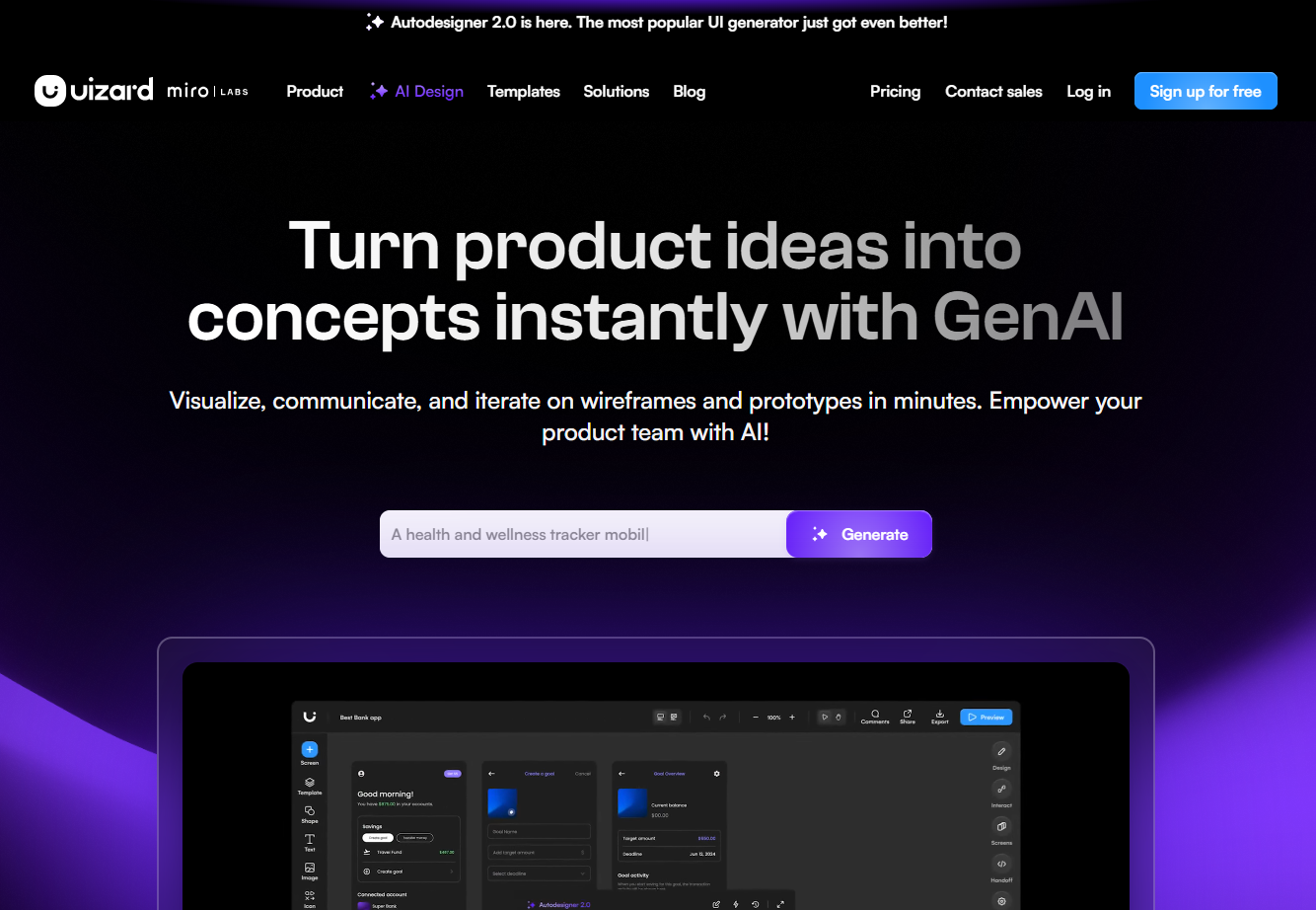

Have you ever had a brilliant app idea but felt stuck on how to bring it to life visually? The world of UI design is rapidly changing, thanks to the power of artificial intelligence. Tools are emerging that make the entire design process faster, easier, and more accessible than ever before. Uizard is at the forefront of this revolution, offering an AI-powered platform that simplifies user interface design for everyone, regardless of their technical background. Let's explore how it can transform your workflow.
So, what exactly is Uizard AI? Think of it as your intelligent partner for user interface design. It’s a design tool that uses generative AI to help you create, visualize, and iterate on your ideas with incredible speed. You don't need to be a professional designer to get started.
At its core, Uizard works by taking your simple inputs—like text descriptions or even hand-drawn sketches—and using AI to automatically generate polished UI designs. This approach removes many of the traditional barriers in UI design, empowering you to build beautiful interfaces effortlessly.
Many design platforms can feel complex, but Uizard stands out by making the user interface design process incredibly intuitive. Its magic lies in its AI-powered approach, which is designed to feel like you're collaborating with an assistant who instantly understands your vision. Instead of manually creating every element, you can simply describe what you want, and the AI does the heavy lifting.
This focus on simplicity and speed democratizes design. It’s no longer a skill reserved for seasoned professionals. Product teams, startup founders, and marketers can now actively participate in the creative process, turning abstract ideas into tangible UI mockups in just minutes. This accessibility is a significant shift from more traditional design tools.
Compared to other design platforms, Uizard is built from the ground up with AI at its heart. This isn't just an add-on feature; it’s the core engine that drives the entire design process, from initial ideation to creating interactive prototypes, making it a uniquely powerful tool in today's market.
One of the biggest benefits of Uizard is how it dramatically streamlines your design workflow. The platform is engineered for rapid prototyping, which means you can move from a simple idea to a clickable prototype much faster than with traditional methods. This speed empowers you to test concepts and gather feedback early and often.
The AI design assistant accelerates every step of your creative process. For team members, especially product managers and designers, this means more time spent on strategy and user feedback and less time on repetitive design tasks. You can quickly generate multiple design variations to explore different creative directions without starting from scratch each time.
This streamlined workflow helps you:
Uizard is packed with powerful features that harness the capabilities of generative AI to simplify your UI design tasks. This design tool is more than just a blank canvas; it’s an active partner in your creative process. The AI design assistant helps bring your ideas to life with a suite of intelligent tools.
Whether you're starting with a text prompt, a rough sketch, or an existing design for inspiration, Uizard has a feature to support your workflow. Let's look at some of the standout tools that make this platform so effective, like Autodesigner and the innovative scanner features.
Are you ready to see your ideas become reality in seconds? Uizard’s Autodesigner feature is like having a magic wand for UI design. By simply typing a text prompt describing your app or website idea, this generative AI tool will generate a multi-screen, editable UI design for you. It's an incredible boost for the initial ideation phase.
Imagine you have an idea for a community platform app. Instead of spending hours creating basic layouts, you can just write, "an app that is a community platform," and Autodesigner will produce a complete mockup. This feature is perfect for brainstorming and exploring different concepts quickly, allowing you to generate ten different mockups in the time it might take to create one manually.
The designs generated by this AI tool are fully editable, so you can treat them as a starting point. From there, you can refine components, change styles, and expand on the initial concept. It truly changes the game for product teams and anyone needing to visualize ideas instantly.
Uizard’s scanner features bridge the gap between inspiration and creation. The Screenshot Scanner is an especially powerful tool for iteration. If you see a website or app with a layout you admire, you can upload a screenshot, and the AI will convert it into an editable, high-fidelity mockup in seconds.
For those who prefer to start with pen and paper, the Wireframe Scanner is a game-changer. This tool digitizes your hand-drawn wireframe sketches from a piece of paper or a whiteboard, transforming them into clean, editable digital designs. It seamlessly integrates traditional brainstorming into a modern digital workflow.
These scanner tools are invaluable for building your MVP and accelerating your workflow. They help you:
Whether you're focused on app design or web design, Uizard provides the tools you need to build stunning user interfaces. The platform is designed for rapid prototyping, allowing you to create and test your concepts for any digital product with remarkable efficiency. The entire UX design process is accelerated by AI.
With Uizard, you can kickstart your project by generating designs from text, scanning sketches, or using pre-made templates. This flexibility ensures that no matter your starting point, you have a clear path to a functional, interactive prototype. Let's examine how you can turn your vision into a reality.
The journey from a simple idea to a fully interactive UI design is shorter than you think with Uizard. The platform uses artificial intelligence to remove the friction from the creative process, making it possible to generate multi-screen prototypes from simple text prompts. This empowers you to visualize not just a single screen but an entire user flow.
This capability is a massive advantage for product teams. Instead of trying to describe a complex app idea in a document, you can show stakeholders an interactive prototype in minutes. This immediate feedback loop helps everyone get on the same page and make better decisions faster.
The generated components are all editable, giving you complete control to refine the design. You can select any element, describe the changes you want, and let the AI handle the adjustments. This seamless blend of AI generation and manual control makes the creative process both fast and flexible.
Uizard excels at making the creation of prototypes and mockups feel effortless. You can go from a wireframe to a clickable prototype with just a few clicks. The intuitive drag-and-drop editor allows for easy modification, so you can adjust layouts, add new UI elements, and perfect your design without any coding or steep learning curves.
While Uizard is incredibly powerful for rapid prototyping and ideation, its primary strength lies in getting your MVP or concept to a testable stage quickly. It's the perfect design tool for validating ideas, collaborating with your team, and presenting concepts to stakeholders. Its focus is on speed and accessibility, which may differ from tools built for pixel-perfect, production-ready final assets.
This approach streamlines the entire UX design process by removing bottlenecks. You can generate a mockup, turn it into an interactive prototype, and share it for feedback all within the same platform. This smooth workflow empowers you to innovate faster and bring your product vision to life without delay.
If you prefer not to start from a completely blank slate, Uizard offers a rich library of templates and prebuilt components. These resources are a fantastic way to jumpstart your project and ensure a professional look. The templates cover a wide range of use cases and come with predefined layouts and design styles.
Using a template saves you time and provides a solid foundation that you can customize to fit your specific needs. This design tool gives you professionally crafted starting points for various platforms, which we will explore next.
Uizard provides a diverse collection of templates to accelerate your design process, whether you're building a mobile app or a new website. These templates are crafted by professional designers and include all the necessary screens and user journeys to get you started. This is perfect for when you need to move quickly but still want a high-quality outcome for your mobile app design or web design project.
The templates are fully customizable, allowing you to tweak them to match your vision with just a few clicks. You can find everything from e-commerce platforms to productivity app layouts, ensuring there’s a starting point for almost any idea. These resources are great for a UX whiteboard session or for quickly mocking up a concept.
Here is a quick overview of the available template types:
Template Type
Description
Mobile App Templates
Pre-made designs with all necessary screens for a new app.
Website Templates
A diverse collection for various site types, from portfolios to e-commerce.
Web App Templates
Exquisite, easily customizable templates to jumpstart web app projects.
Tablet Design Templates
Ready-to-use UI templates specifically for creating tablet apps.
Wireframe Templates
Medium-fidelity templates for apps and websites to structure your project.
While AI generation and templates provide an amazing head start, true creative control comes from customization. Uizard is a design tool that excels in this area, offering powerful and intuitive options to tailor your designs. You can easily modify any element generated by the AI, ensuring the final product perfectly aligns with your brand and vision.
The platform includes a Theme Generator that allows you to create new design styles from simple text prompts or extract styles from a URL or screenshot. This feature lets you instantly change the entire look and feel of your project, making iteration on different visual themes incredibly fast.
Fine-tuning your design is simple with Uizard’s editor. You can:
How does an AI-powered tool like Uizard stack up against traditional design software such as Figma? While both are powerful platforms for UI design, they cater to different needs and workflows. Traditional tools like Figma are known for their precision and deep feature sets, often requiring a steeper learning curve.
Uizard, on the other hand, prioritizes speed, accessibility, and AI-driven automation. It's designed to empower everyone, including non-designers, to create a functional app or web UI quickly. Let’s take a closer look at their different approaches to usability and workflow.
The fundamental difference between Uizard and Figma lies in their core philosophy and usability. Figma is a powerful, vector-based design tool that gives designers granular control over every pixel, making it ideal for creating high-fidelity, production-ready designs. It's the industry standard for many professional designers.
Uizard has a different primary goal: to make design fast and accessible through AI. Its strength is in rapid ideation and iteration. It helps bridge the gap between an idea and a visual concept, which can even be imported into other tools, as Uizard offers a Figma plugin. This enhances the workflow for designers who want to use AI for initial concepts.
This table highlights their distinct approaches:
Feature
Uizard
Figma
Core Approach
AI-powered automation and rapid prototyping.
Manual, vector-based design with precise control.
Target User
Beginners, product teams, founders, and designers.
Professional UI/UX designers and design teams.
Key Strength
Speed of ideation, text-to-design, ease of use.
High-fidelity design, detailed prototyping, collaboration.
Learning Curve
Low; intuitive and easy to learn.
Moderate to high; requires some training.
Worried about compatibility? You can relax. The Uizard design platform is fully web-based, which means you can access it from any modern browser on both Mac and Windows operating systems. There’s no need to download or install a separate desktop app, making it incredibly convenient to get started and work from anywhere.
This browser-based accessibility ensures that your entire team can collaborate seamlessly, regardless of their preferred platform. Whether you use a Mac at home or a Windows PC at the office, your projects are always just a login away. This removes technical barriers and allows everyone to focus on what matters most: creating great designs.
This universal access makes Uizard a highly flexible tool for individuals and teams of all sizes. As long as you have an internet connection, you have the full power of this AI design platform at your fingertips.
KeywordSearch has an AI Audience builder that helps you create the best ad audiences for YouTube & Google ads in seconds. In a just a few clicks, our AI algorithm analyzes your business, audience data, uncovers hidden patterns, and identifies the most relevant and high-performing audiences for your Google & YouTube Ad campaigns.
You can also use KeywordSearch to Discover the Best Keywords to rank your YouTube Videos, Websites with SEO & Even Discover Keywords for Google & YouTube Ads.
If you’re looking to SuperCharge Your Ad Audiences with AI - Sign up for KeywordSearch.com for a 5 Day Free Trial Today!
In conclusion, Uizard AI revolutionizes the UI design process, making it accessible, efficient, and user-friendly for designers at all levels. By simplifying workflows and providing innovative features like AutoDesigner and customizable templates, Uizard AI empowers you to bring your creative ideas to life seamlessly. Whether you're a beginner or an experienced designer, this tool enhances collaboration and accelerates project timelines. Embrace the future of UI design with Uizard AI and transform how you create stunning interfaces. If you're curious to see how it can work for you, don’t forget to check out their free trial!
Yes, absolutely! Uizard is an ideal design platform for beginners. Its AI-powered features and intuitive interface are designed to simplify the UX design process. You don't need any prior design experience to use this design tool to turn your ideas into high-quality mockups and prototypes quickly and easily.
Uizard offers a free plan that allows you to sign up and start designing right away. This plan includes free access to many AI features, like generating mockups with Autodesigner, with some usage limits. It's a great way to experience the power of this design tool without any commitment.
While other AI design tools and platforms are emerging, Uizard stands out with its unique combination of features. Its ability to generate designs from text, convert screenshots into mockups, and digitize hand-drawn sketches makes it a comprehensive solution for accelerating the entire UX design workflow from start to finish.