December 7, 2025

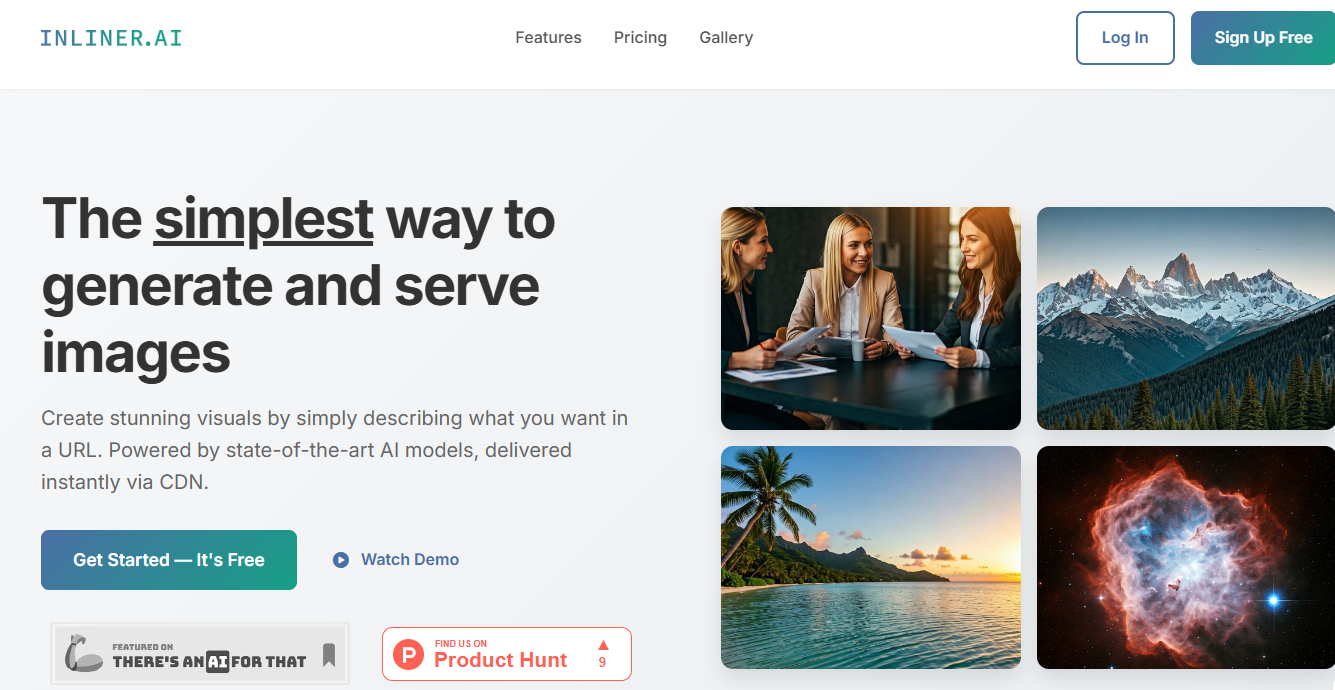
Here’s a quick look at what InLiner AI offers:Generate stunning custom visuals instantly just by describing them in a URL. With InLiner, you cannot generate images directly from any web page link; instead, its generative ai creates inline images based on text descriptions you provide through a url, making it a powerful tool for creators seeking simple yet effective visual solutions. While InLiner AI does not support direct image generation from a web page link, it excels at producing high-quality images from your own descriptions, ensuring creative control.To answer directly: InLiner AI cannot generate images from just any web page link. Images are only generated from the text descriptions that users provide, not from general web content.
Have you ever wished you could create the perfect image just by describing it? Welcome to InLiner AI, a revolutionary tool that transforms your ideas into visuals with a simple URL. Forget complex software or endless searching for stock photos. For creators who need high-quality images on the fly, this platform offers a new level of convenience. This innovative approach to AI image generation puts the power of a design studio right into your web browser, making visual creation easier than ever before.
InLiner AI marks a significant step forward in generative AI technology. At its core, it’s a tool that generates images from text descriptions you place directly within a URL. You don’t need any special software; if you can write a web address, you can create an image.
This simple yet powerful concept means you can embed dynamic, custom-made visuals directly into your HTML code. By using a descriptive inliner URL, you can even include reference images to guide the AI, ensuring your visuals stay on-brand and consistent every time.
Unlike traditional image editors or stock photo libraries that require manual searching and editing, InLiner AI streamlines the entire process. The platform is built on a "URL-first" principle, which eliminates many of the tedious steps associated with visual content creation. This unique inliner approach is what makes it a game-changer.
The key difference lies in its simplicity and speed. You are not dealing with complex APIs or authentication tokens. Instead, the generative AI works directly from the URL you provide, and with fast delivery via a global CDN, your images load instantly for your audience.
Here’s how InLiner AI stands out:
For content creators, bloggers, and marketers, finding the right visual for every piece of content can be a daily challenge. InLiner AI is designed to make this task effortless and even enjoyable. It’s perfectly suited for the everyday demands of digital creation, whether you need a header for a blog post or a graphic for a social media update.
The platform's user-friendly dashboard allows you to manage your projects, organize your assets, and generate multiple image variations at once. This means you can A/B test different visuals for an ad campaign or explore creative options for a new project without any friction. The AI does the heavy lifting, turning your simple text prompts into polished, custom visuals.
Imagine auto-generating thumbnails for your YouTube videos or creating unique illustrations for your newsletter in seconds. With InLiner AI, these tasks move from being time-consuming chores to quick, creative exercises, freeing you up to focus on the bigger picture.
InLiner AI offers significant advantages to a wide range of professionals across the United States. Its versatility makes it a valuable tool for anyone who regularly works with digital visuals. From solo developers to large marketing agencies, the platform provides a scalable solution for creating high-quality images.
Marketers and agencies, for example, can rapidly generate creative assets for campaigns, test dozens of ad variations, and produce client presentation visuals without design bottlenecks. Developers can embed dynamic images directly into apps and websites with a simple URL, speeding up the development process.
Here’s a breakdown of who benefits the most:
The magic of InLiner AI lies in how it interprets a simple URL to perform complex image generation. Instead of a text prompt in a separate interface, the description of the image you want becomes part of the URL itself. The AI reads this URL and creates custom visuals based on your words.
This process is incredibly direct. For example, a URL containing "futuristic-tokyo-city-night" will generate a picture of exactly that. This method allows you to create, edit, and resize images just by changing the text in the address bar, offering a unique and intuitive workflow.
At its core, the mechanism is elegantly simple. When you construct an InLiner AI URL, you are essentially giving a direct command to the AI. The URL structure typically includes your project name followed by a description of the desired image, like https://img.inliner.ai/my-project/your-image-description.png.
The system processes this text description and feeds it to a state-of-the-art image generation model. This model then creates a visual based on your prompt. For added control, you can upload reference images to a project. By mentioning them in the URL, like "team-meeting-with-the-logo-on-wall," the AI will incorporate your specific brand assets into the new image.
Once generated, the image is served via a global CDN. This means the first request might take a few seconds, but every subsequent request for the same URL is delivered instantly from a cache. You can then embed this URL directly into an HTML <img> tag on your website.
InLiner AI provides flexibility in how you generate your images, including control over formats and other attributes directly within the URL. You can specify the image format by using extensions like .png or .jpg at the end of your URL, making it easy to get the right file type for your needs.
Beyond formats, you have control over other quality settings. You can define the exact dimensions of your image and even apply specific artistic styles. These parameters are simply added to the URL, giving you granular control over the final output without ever leaving your code or browser.
This approach simplifies the image generation process, allowing you to fine-tune your visuals with clear, readable commands.
Parameter
Example
Description
Image Format
.png, .jpg
Appended to the end of the URL to specify the file type.
Size
_size-1024x1024
Defines the width and height of the image in pixels.
Style
_style-watercolor
Applies a specific artistic effect, such as watercolor, photorealistic, or 3D.
Lighting
_lighting-sunset
Adjusts the lighting conditions in the generated image.
A common question is whether InLiner AI can generate an image from any website link. It's important to clarify that InLiner AI doesn't scrape content from an existing web page to create an image. Instead, you create a unique, descriptive URL that tells the AI what to generate. The "link" is the command itself, not a source of content.
You craft a special URL, such as https://img.inliner.ai/my-project/a-description-of-my-image.png. The AI then uses the text "a-description-of-my-image" to produce your custom visual. This gives you complete creative control over the output, as you are not limited by the content of an existing page.
This method ensures that every image is tailored to your exact specifications. Through your dashboard, you can manage these projects and generate visuals that are truly unique, rather than being derived from pre-existing web content.
InLiner AI is packed with features designed to make image generation as smooth as possible. From its intuitive URL-based system to its powerful editing capabilities, every aspect of the platform is built for efficiency. You can manage all your creations from a central dashboard and rely on fast delivery for every image.
Whether you're integrating with an AI assistant for automated workflows or generating multiple variations in the AI Studio, the tool provides a comprehensive suite for all your visual needs. These features work together to transform your creative process, making it faster and more intuitive.
One of the most powerful aspects of InLiner AI is its ability to edit images just as easily as it creates them. You don't need to open a separate application; edits are made by simply appending instructions to the original image URL. This inline editing is fast, intuitive, and non-destructive.
For example, if you have an image of a woman in a red dress, you can change the color by adding /make-her-dress-orange to the URL. The system will generate a new image with that change. This feature is perfect for making quick adjustments or creating multiple versions of a visual. Your account even comes with trial image edit credits to test it out.
Here are a few things you can do with AI-powered editing:
InLiner AI is designed for maximum compatibility and can be integrated into nearly any digital workflow. It's not a standalone app you have to download; it’s a web-based service that works everywhere you can use an image URL. This makes it incredibly easy to use with your favorite web builders and applications.
You can paste InLiner AI URLs directly into platforms like WordPress, Squarespace, and Webflow. The integration is just as seamless with design tools like Figma and Canva. For developers, InLiner AI works perfectly with any framework, including React, Vue, and Angular, or even plain HTML.
Furthermore, it integrates with AI assistants like GitHub Copilot, Claude, and Google Gemini. By providing your AI assistant with your project instructions, you can have it automatically generate context-aware image URLs as you code or write content, creating a truly automated workflow.
Keeping your creative assets organized is key to an efficient workflow, and InLiner AI excels in this area. The platform’s dashboard allows you to organize your work into distinct projects. Each project can have its own set of custom prompt instructions and reference images, such as logos or product photos.
This project-based system enables powerful automation. When you generate an image within a specific project, the AI automatically applies that project's custom instructions and can incorporate its reference images. This ensures perfect brand consistency across all your visual content without you having to specify it every single time.
This smart organization is a huge time-saver. You can manage everything from a central location, from generating new images to accessing previously created ones. Combined with an AI assistant, this feature can almost completely automate your visual content pipeline.
Ready to start creating stunning images with just a URL? Getting started with InLiner AI is simple and straightforward. The platform is designed to be user-friendly, allowing you to go from signing up to generating your first image in just a few minutes.
You begin by creating a free account, which gives you access to the dashboard and a starting balance of credits, including premium image credits. From there, you can set up your first project and immediately start crafting URLs to bring your ideas to life.
Setting up your InLiner AI account is a quick and easy process. Simply register on the website to create your free account. Upon signing up, you’ll receive a welcome package of credits, including base credits, trial premium credits, and edit credits, so you can start exploring the platform's full potential right away.
Once you’re in, the first step is to create a project from your dashboard. Give your project a unique name, as this will become part of your image URLs. The interface is clean and intuitive, guiding you through the process of setting up default styles or uploading reference images for your project.
If you have any questions during setup, community and standard support options are available, with priority customer service for higher-tier plans. The goal is to get you up and running as smoothly as possible, so you can focus on creating.
Generating an image with InLiner AI is a simple three-step process. The entire system is designed for speed and efficiency, allowing you to create and embed visuals with minimal effort. The fast delivery of images ensures your website or application remains performant.
The core of the process is crafting a descriptive URL that the AI can understand. You combine your project name with your image description, and the platform handles the rest. Once an image is generated, its URL is permanent and cached, meaning it will always load instantly on subsequent requests.
Here is the step-by-step process:
my-project).https://img.inliner.ai/my-project/your-description.png.When you look at the landscape of AI image generation tools, InLiner AI stands out for its unique URL-based approach. While many platforms require you to work within their specific application or use complex APIs, InLiner AI simplifies the process down to a single line of text.
This approach offers distinct advantages in terms of speed, cost-effectiveness, and ease of integration. The real-time generation and generous licensing benefits make it a compelling alternative for developers, marketers, and creators who value efficiency and flexibility in their workflow.
Many AI image generators operate on a batch processing model, where you submit a job and wait in a queue for your images to be created. InLiner AI, on the other hand, focuses on real-time generation. When you request an image via a URL, the AI begins working on it immediately, with standard images typically generated in 4-10 seconds.
This on-demand system is ideal for dynamic applications and rapid prototyping. Thanks to its fast delivery via a global CDN, once an image is created, it's cached and available instantly for all future requests. This eliminates loading delays and ensures a smooth user experience.
While the AI Studio does allow for generating up to four variations at once—a form of small-batch exploration—the platform's primary strength is its real-time responsiveness.
One of the most significant advantages of InLiner AI is its cost-effectiveness, especially when compared to traditional stock photo subscriptions. With plans that can bring the cost per image down to around $0.10, it offers a massive 95% savings over the typical $2-$10 cost of a stock photo.
The platform offers a variety of pricing tiers, including a free plan that provides base image credits and trial premium credits to get you started. This makes it accessible for everyone, from hobbyists to large businesses. The licensing benefits are also a major plus.
Key benefits include:
The limitations on the number of images you can generate with InLiner AI are primarily based on your subscription plan. Each plan comes with a specific monthly allotment of credits, such as base image credits, premium image credits, and edit credits. These credits are used each time you generate or edit an image.
As for the type of images, there are very few restrictions on the custom visuals you can create. The output is determined by your text prompts and the capabilities of the underlying AI models. The platform uses state-of-the-art models and automatically selects the best one for your request to ensure optimal results.
While you have great creative freedom, it's important to remember that, as with any AI tool, the generated content may not be guaranteed to be entirely unique. However, the system is designed to provide a vast range of creative possibilities to suit your needs.
InLiner AI is a versatile tool with practical applications across numerous industries. Its ability to quickly generate custom visuals makes it invaluable for anyone who needs to enhance their digital content. From marketers running social media campaigns to developers building user interfaces, the platform helps streamline the creative workflow.
Content creators, agencies, and small business owners can all leverage InLiner AI to produce professional-grade visuals without the high costs or long timelines associated with traditional design processes. Let's explore some specific use cases.
For bloggers and marketers, maintaining a steady stream of engaging visual content is crucial. InLiner AI dramatically simplifies this task, allowing content creators to generate perfect header images, social media graphics, and more in a matter of seconds. No more hunting for the right stock photo or waiting on a designer.
Imagine you've just finished writing a blog post. With InLiner AI, you can create a perfectly matched header image by simply describing the article's topic in a URL. This seamless process allows you to produce high-quality, relevant custom visuals for every piece of content you publish.
Here are some ways bloggers and marketers can use InLiner AI:
In the world of web design, visuals play a critical role in user experience. InLiner AI empowers designers and developers to move beyond generic stock photography and create custom visual elements that align perfectly with their design concepts. This could be a unique hero image for a landing page or a set of custom icons for a new feature.
The ability to generate images with a simple inline URL means you can embed these visuals directly into your HTML and CSS. This not only speeds up the design and development process but also ensures fast delivery of images to the end-user, contributing to a better overall site performance.
By using InLiner AI, you can prototype faster, iterate on designs more easily, and build websites that are more visually cohesive and engaging. The AI becomes a creative partner, helping you bring your exact design vision to life without compromise.
For developers and agencies, productivity is paramount. InLiner AI is a powerful tool for boosting efficiency by automating and simplifying the image creation workflow. Developers can integrate it with AI coding assistants like GitHub Copilot to automatically generate image URLs within their code, saving valuable time.
Agencies can leverage the platform to scale their creative output significantly. Instead of waiting for design rounds, they can instantly spin up dozens of ad variations for A/B testing or create compelling visuals for client presentations on the fly. This rapid generation capability allows agencies to be more agile and responsive to client needs.
Here's how InLiner AI boosts productivity:
KeywordSearch has an AI Audience builder that helps you create the best ad audiences for YouTube & Google ads in seconds. In a just a few clicks, our AI algorithm analyzes your business, audience data, uncovers hidden patterns, and identifies the most relevant and high-performing audiences for your Google & YouTube Ad campaigns.
You can also use KeywordSearch to Discover the Best Keywords to rank your YouTube Videos, Websites with SEO & Even Discover Keywords for Google & YouTube Ads.
If you’re looking to SuperCharge Your Ad Audiences with AI - Sign up for KeywordSearch.com for a 5 Day Free Trial Today!
In conclusion, InLiner AI represents a revolutionary step in the realm of image generation by effortlessly transforming URLs into stunning visuals. Its unique capabilities set it apart from traditional tools, offering seamless integration and AI-powered editing options that cater to a variety of industries. Whether you're a blogger looking to enhance your content or a developer aiming to streamline your workflow, InLiner AI is designed to boost productivity and creativity. By utilizing this innovative tool, you can easily create eye-catching images that engage your audience and elevate your digital presence. If you're ready to experience the future of image generation, don't hesitate to explore how InLiner AI can benefit your projects today!
InLiner AI does not scrape existing web pages. Instead, you create custom visuals by crafting a descriptive URL that tells the AI what to generate. This method gives you full creative control over the image generation process, with fast delivery ensuring your visuals are ready when you need them.
Yes, InLiner AI integrates seamlessly with any platform that accepts an image URL, including WordPress, Webflow, and Figma. For developers, it works with AI assistants like GitHub Copilot. You can simply paste the generated HTML link into your preferred tool, making integration effortless.
You receive full commercial licensing rights for the custom visuals you generate. Usage is determined by your subscription plan, which provides a set number of base image credits and other credits each month. You can track your usage and manage your projects directly from your dashboard.