January 5, 2026

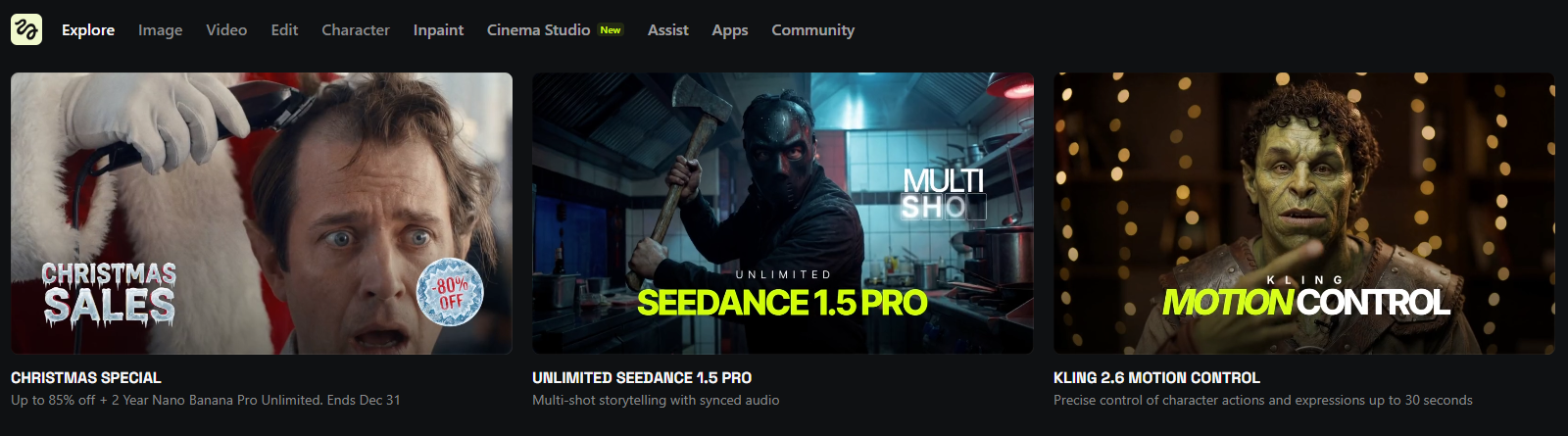
Have you ever tried to create a video from an image, only to be disappointed by unnatural, jittery motion? The world of AI video generation has struggled with this problem, but a new tool is changing the game. Higgsfield AI is a revolutionary video generator that puts the power of a professional film crew right at your fingertips. This platform makes smooth, cinematic video creation accessible to everyone, redefining what you can expect from an AI tool.
Higgsfield AI is an innovative platform developed by former AI leaders and researchers from Snap. Its main goal is to simplify video generation, allowing creators to turn static images into high-quality video content with realistic camera movements. Instead of complicated software, you get a user-friendly tool that delivers professional results.
At its core, the Higgsfield AI is designed to mimic the techniques of professional cinematography. This focus on authentic motion sets it apart, ensuring your video content looks like it was shot with high-end equipment, not generated by AI. It’s an ideal solution for anyone looking to produce dynamic visuals without a steep learning curve.
So, what puts Higgsfield a step above other AI video tools? The platform was founded by former Snap AI leader Alex Mashrabov and AI researcher Yerzat Dulat, who brought their expertise in generative AI to solve a common problem: poor motion quality. They focused on creating an experience that prioritizes smooth, controllable camera language.
Unlike competitors that offer a broad range of features, Higgsfield specializes in cinematic motion. This unique focus ensures that the generated videos have a natural flow, avoiding the awkwardness often seen in AI-generated clips. This makes it a powerful tool for content creators who need polished visuals without a Hollywood budget.
The result is a platform that empowers you to produce videos that feel authentic and professionally directed. For anyone who has been frustrated by the limitations of other tools, Higgsfield offers a refreshingly simple and effective way to bring your creative visions to life.
You don't need any technical expertise to use Higgsfield AI, as a lot of complex technology is working behind the scenes. The platform uses generative AI to analyze your image and prompt, translating your ideas into fluid motion. It even incorporates large language models to enhance your prompts, helping you describe your vision more effectively.
This advanced AI handles all the heavy lifting. For instance, the system includes different processing options, such as a Turbo model. This model selection allows for faster generation at a lower cost, which is perfect when you need to experiment with different styles or produce content quickly.
Ultimately, Higgsfield AI combines multiple technologies to create a seamless user experience. By automating complex cinematography principles, it gives you the ability to direct your own shots with just a few clicks, making high-quality video creation accessible to everyone.
Using the Higgsfield AI video generator is a simple and intuitive process. Your workflows start with a reference image, which serves as the foundation for your video clip. From there, you provide a text prompt describing the scene and the motion you want to see. The AI then gets to work, bringing your image to life.
You have several options to customize your creation. You can use prompt enhancements to let the AI expand on your ideas or manually adjust settings like the aspect ratio, which is determined by your original image. The following sections will walk you through the specific steps and features.
The workflow in Higgsfield AI is designed to be straightforward, allowing you to move from a basic idea to a polished video with cinematic quality in minutes. This efficient process is perfect for content creators who need to streamline their video generation workflows and produce content quickly. The AI handles the complex parts, so you can focus on your creative vision.
The whole process can be broken down into a few simple steps. This user-friendly approach removes technical barriers and makes professional-looking video creation available to everyone.
Here is the basic workflow:
This streamlined system ensures that you can produce stunning visuals without getting bogged down in complicated settings.
Higgsfield AI is packed with features that give you precise creative control over your videos. Its standout element is the extensive library of professional camera moves. These presets allow you to apply authentic camera motion, ensuring your final video has a high degree of cinematic quality without any jittery effects. The generative AI is trained to understand and replicate these complex movements flawlessly.
In addition to motion, you can apply various style presets to set the right mood. Whether you're aiming for a retro film look or a modern, clean aesthetic, these one-click options make it easy to transform your clip. You can also use the prompt enhancements feature, which helps you refine your descriptions for better results.
Here are some of the key features you can use:
Are you ready to create your first video with Higgsfield AI? This guide will walk you through the entire process, from setting up your account to exporting your final clip. The platform’s simplified workflows make it one of the most accessible AI video tools for marketers, creators, and anyone new to video generation.
Whether you're making social media content or a product showcase, you'll find the process quick and intuitive. The next sections will provide a detailed look at getting started and offer tips for making your visuals truly stand out.
Your journey with Higgsfield AI begins with a simple account setup. Once you're logged in, you'll find a clean and intuitive interface designed to make your creative workflows as smooth as possible. The main dashboard gives you direct access to the "Create Video" module, where all the magic happens. All the AI video tools are clearly labeled, so you can start generating clips right away.
As you navigate the platform, you’ll find that everything is organized for ease of use. You can easily upload images, browse motion presets, and write prompts without getting lost in menus. Before you start creating content for commercial purposes, it's a good idea to review the terms regarding usage rights to understand how you can use your generated videos.
The platform is designed to feel welcoming, even if you have no prior experience with AI. The clear layout and guided workflows ensure that your focus remains on creativity, not on figuring out complex software.
To get the best results from Higgsfield AI, it helps to be intentional with your creative choices. Crafting stunning visual effects is easier when you give the AI clear and structured instructions. Start by writing detailed prompts that specify the subject, lighting, and mood you want to achieve. The more specific you are, the closer the output will be to your vision.
Experimenting with different features is key. The platform’s Turbo model selection is great for rapid iteration, allowing you to test ideas quickly. Don't hesitate to use prompt enhancements if you're feeling stuck, and explore the various camera motion presets to see how they change the feel of your clip.
Here are a few tips to help you get better results:
Higgsfield AI uses a flexible pricing model based on subscriptions and credits, making it accessible for various needs. Whether you're just starting or need to produce a high volume of video content, there's a plan that fits your budget. The credit system allows you to pay for video generation as you go.
If you want to test the platform before committing, you can take advantage of the free trial. This gives you a chance to explore the features and see the quality of the AI firsthand. The following sections will break down the available plans and explain how to access your trial.
Higgsfield offers several pricing tiers designed to accommodate both individuals and businesses. The plans operate on a subscription model where you receive a monthly allotment of credits. These credits are used to generate videos, with different features like the Turbo model potentially offering a lower cost per clip. The structure provides flexibility, so you only pay for what you anticipate using.
For users on the go, the Diffuse mobile app offers another way to create content. The pricing plans cover usage on both the web studio and the app. Before subscribing, it's a good idea to start with the free trial to estimate how many credits your typical projects will require.
Here is a quick look at the available plan structure.
Plan Tier
Starting Price
Best For
Basic
$9/month
Individuals and creators just starting out.
Pro
Varies
Power users needing more credits and advanced features.
Ultimate
Varies
Businesses and agencies with high-volume generation needs.
Getting started with the Higgsfield AI free trial is easy. Simply visit the official website and sign up for an account. The trial typically provides you with a limited number of credits to experiment with the video generator and its features. This is the perfect opportunity to see if the platform meets your creative needs without any financial commitment.
During the trial, pay attention to how credits are used. Each video generation will consume a certain number of credits from your balance. Also, check if videos created during the trial period have a watermark. This information is usually available in the pricing section or the platform's FAQ.
Before you begin, it’s wise to quickly review the terms of use agreement. This document outlines what you can and cannot do with the content you create, ensuring you understand the usage rights associated with the AI-generated videos.
KeywordSearch has an AI Audience builder that helps you create the best ad audiences for YouTube & Google ads in seconds. In a just a few clicks, our AI algorithm analyzes your business, audience data, uncovers hidden patterns, and identifies the most relevant and high-performing audiences for your Google & YouTube Ad campaigns.
You can also use KeywordSearch to Discover the Best Keywords to rank your YouTube Videos, Websites with SEO & Even Discover Keywords for Google & YouTube Ads.
If you’re looking to SuperCharge Your Ad Audiences with AI - Sign up for KeywordSearch.com for a 5 Day Free Trial Today!
In conclusion, the Higgsfield AI Video Generator is a game-changer in the realm of video creation. By harnessing advanced technology and user-friendly features, it empowers individuals and businesses to bring their creative visions to life effortlessly. From its unique camera movements to customizable style presets, users can craft stunning content that captivates audiences. The step-by-step guide ensures that even beginners can navigate the interface with ease. Don’t miss out on the chance to elevate your video production skills—explore Higgsfield AI today and take advantage of the free trial to see firsthand how it can transform your projects. Get started now!
Yes, you can find many examples of videos created with Higgsfield AI on the company's official website and social media channels. These galleries showcase how other creators are using the video tools for AI video generation, giving you inspiration for your own projects.
Higgsfield AI maintains an active social media presence where they share updates, examples, and promotional codes. You can follow the Higgsfield AI account on platforms like X (formerly Twitter) to stay connected with the community and see the latest from the platform.
Higgsfield AI is planning to release an API for developers interested in third-party integration. The official developer documentation is currently in preparation. You can visit the Higgsfield AI website to join the waitlist and receive updates on when the API becomes available.