January 6, 2026

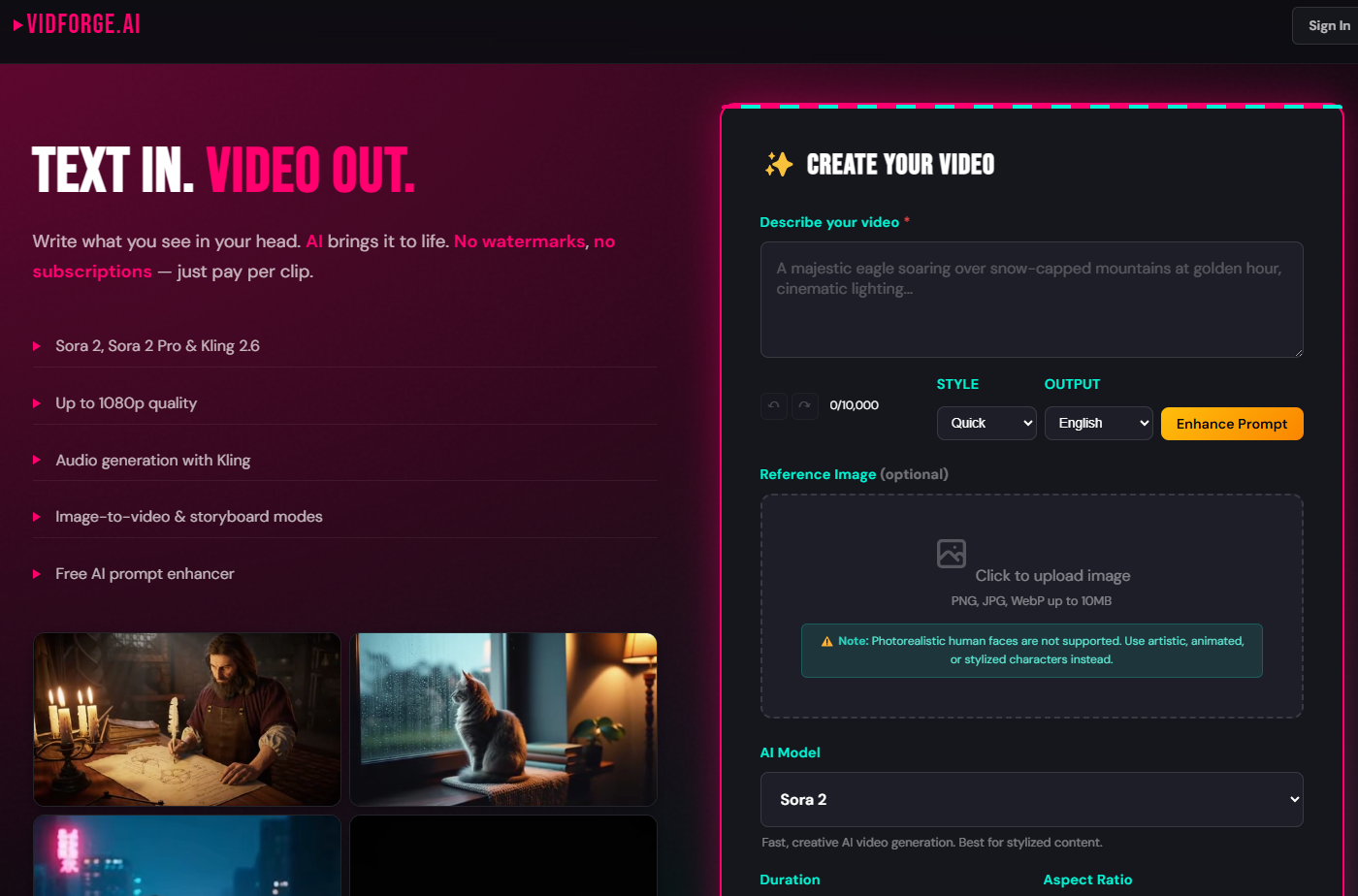
Welcome to the future of video creation! If you are a content creator looking to boost your output without sacrificing quality, you have come to the right place. AI video generator tools are changing the game, and at the forefront is Vidforge AI. This innovative platform is designed to make your video production process faster, simpler, and more effective. Whether you are a podcaster, coach, or marketer, Vidforge AI provides the tools you need to turn your ideas into engaging video content effortlessly.For new users, Vidforge AI also offers customer support and helpful resources to guide you through getting started. This ensures a smooth experience as you explore and utilize the platform's features.
In a crowded market of AI tools, Vidforge AI carves out its own niche by focusing on smart, practical solutions for content creation. Instead of just generating video from scratch, it excels at repurposing your existing content, turning one long video into a month's worth of social media posts. This approach maximizes your resources and amplifies your message. If you're interested in seeing Vidforge AI in action, sample videos created with Vidforge AI are available to view on their official website and social media channels, giving you a clear idea of the tool’s capabilities and output quality.
The platform combines powerful AI with user-friendly video editing features, making it accessible for everyone. Let’s explore the specific features and technology that make Vidforge AI a game-changer for your workflow.
Vidforge AI is packed with features designed to streamline your video production. The platform acts as your personal video editor, automating tedious tasks so you can focus on creativity. It intelligently identifies the most engaging moments in your long-form content, suggesting short clips that are perfect for social media.
You no longer need to manually resize or reframe your videos for different platforms. With a single click, the generator adjusts your content for vertical formats like TikTok and Reels, ensuring your key subjects remain perfectly centered. This level of automation helps you create professional-looking videos every time.
Here are some of the standout features:
One of the most revolutionary aspects of Vidforge AI is how it uses AI and text to simplify editing. While it doesn't create video from a text prompt like some other tools, it offers something just as powerful: text-based video editing. The platform’s proprietary AI algorithms automatically generate a transcription of your uploaded video.
From there, editing your video becomes as simple as editing a document. Want to remove a section? Just delete the corresponding words or sentences from the transcript, and Vidforge AI will cut that part from the video. This automation removes the complexity of traditional timeline editing, making the process faster and more intuitive.
This technology allows for incredible efficiency and precision:
When you look at the landscape of AI video generator tools, you will notice different tools serve different purposes. Competitors like Sora and Kling AI are known for creating entirely new video scenes from text prompts. They are remarkable for generating imaginative, cinematic footage from scratch.
However, Vidforge AI takes a different approach. Its strength lies in its ability to work with your existing content. It is a powerful repurposing engine designed for content creators who want to maximize the value of their podcasts, webinars, and interviews for platforms like YouTube and TikTok. Let's examine how its workflow and features distinguish it from the competition.
The core difference between Vidforge AI and a generative AI video generator like Sora or Kling AI is its primary function. While tools like Sora and Luma focus on creating new visual realities from text, Vidforge AI is built to optimize and multiply the content you have already created. It perfects a workflow designed for efficiency and marketing impact.
This makes it an ideal co-pilot for marketers, coaches, and podcasters who need a steady stream of content. Instead of spending hours brainstorming new scenes, you can upload one piece of long-form footage and let the AI do the heavy lifting of finding and packaging the best moments.
Here is a simple breakdown of the differences:
Feature
Vidforge AI
Sora / Kling AI
Primary Function
Repurposing existing video into short, social clips
Generating new video footage from text prompts
Best For
Marketers, podcasters, coaches, and content creators
Creative artists, filmmakers, and concept designers
Core Workflow
Upload video -> Get AI-powered clips -> Edit & publish
Enter text prompt -> Generate new video -> Refine
Vidforge AI is designed for maximum compatibility and ease of use when it comes to your final product. After you upload your footage and the AI works its magic, you have flexible options for your output. The platform ensures you can download your videos in formats suitable for all major social media channels.
The output quality is high, with features designed to maintain a professional look across all your clips. One of the key benefits is the ability to instantly change aspect ratios, ensuring your video looks great whether it's on a phone screen or a desktop. While many platforms put watermarks on free plan exports, Vidforge AI aims to provide clean, ready-to-publish content.
Key output features include:
Jumping into Vidforge AI is incredibly simple, even for complete beginners. The platform was built with a smooth workflow in mind, removing the technical barriers that often come with video editing software. These simple steps make it a perfect tool for busy freelancers, marketers, and content creators who need to produce high-quality content without a steep learning curve.
The entire process, from uploading your raw footage to having social-ready clips, is designed to be intuitive. Let’s walk through the sign-up process and how you can start using the platform right away.
Getting started with Vidforge AI is refreshingly straightforward. In many cases, you can try the core features without even creating an account, allowing you to see the magic for yourself. For full access, the sign-up process is quick, getting you into the dashboard and ready to work in minutes. The platform offers a free plan, making it accessible for creators who are just starting out.
For those needing more power, Vidforge AI provides pricing tiers that are significantly more affordable than hiring a freelance editor. The workflow is designed in three simple steps that anyone can follow, empowering creators to take control of their content production from start to finish.
Here is the basic workflow:
KeywordSearch has an AI Audience builder that helps you create the best ad audiences for YouTube & Google ads in seconds. In a just a few clicks, our AI algorithm analyzes your business, audience data, uncovers hidden patterns, and identifies the most relevant and high-performing audiences for your Google & YouTube Ad campaigns.
You can also use KeywordSearch to Discover the Best Keywords to rank your YouTube Videos, Websites with SEO & Even Discover Keywords for Google & YouTube Ads.
If you’re looking to SuperCharge Your Ad Audiences with AI - Sign up for KeywordSearch.com for a 5 Day Free Trial Today!
In conclusion, Vidforge AI truly revolutionizes the video creation process. With its innovative features and user-friendly interface, it empowers creators to effortlessly transform their ideas into captivating videos. By leveraging advanced text-to-video technology and competitive advantages over other tools, Vidforge AI stands out as a top choice for both beginners and seasoned professionals alike. Whether you’re looking to craft engaging content for social media or need high-quality video outputs for business, this tool offers a seamless experience. Ready to elevate your video production game? Get started today with a free trial to explore all that Vidforge AI has to offer!