December 2, 2025

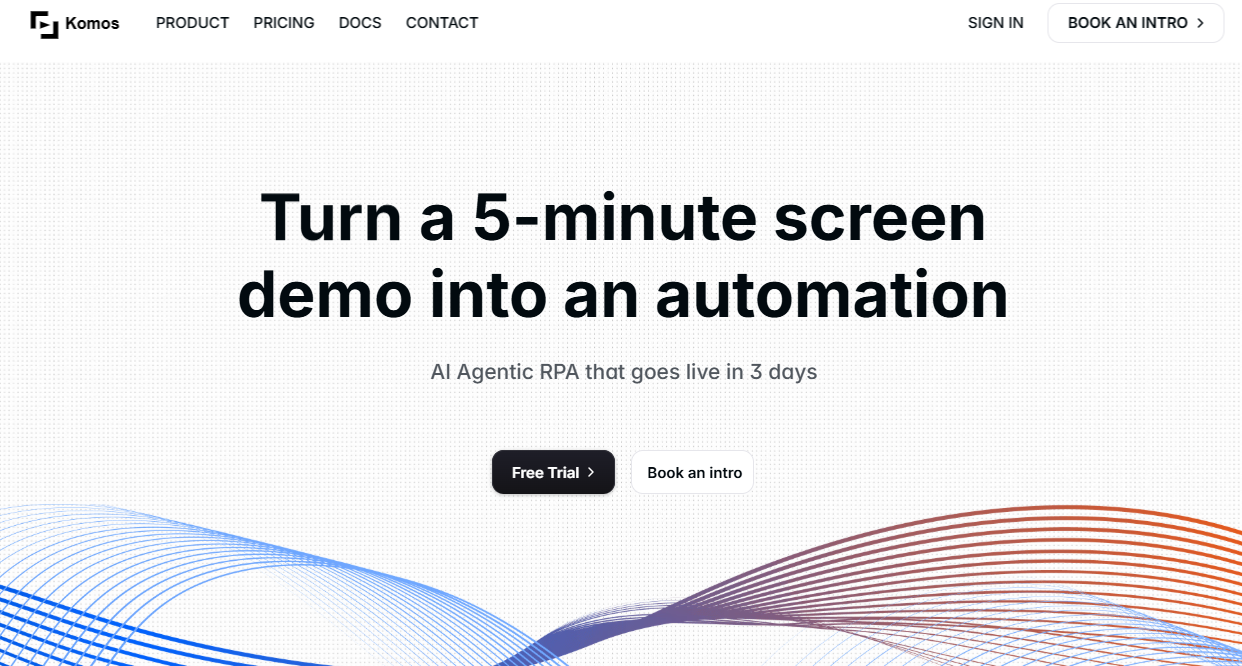

Are you tired of spending countless hours on the same tasks day after day? Komos AI offers a solution with its powerful smart automation capabilities. This innovative tool works directly in your browser to streamline your workflows and boost your efficiency. Instead of manually repeating tasks, you can let Komos handle them for you. Discover how this platform can transform your daily operations, freeing you up to focus on what truly matters.
Komos AI is a revolutionary tool designed to automate your browser-based activities. By using its smart features, you can teach the AI to handle repetitive online tasks, from filling out forms to navigating websites. The system observes your actions and turns them into repeatable workflows, taking the manual effort out of your day.
The performance of this automation is impressive, especially for tasks like data extraction. The AI can pull information from PDFs and other documents directly within your browser, organizing it without any coding required. This high level of automation streamlines processes that would otherwise take hours, making it a highly effective tool. Now, let’s explore its core capabilities and integration options.
At its heart, Komos AI is a powerful tool for smart automation. It excels at turning complex tasks into simple, automated workflows. You don't need any programming skills to get started, making automation accessible to everyone on your team. Its ability to create editable process flows from observing user actions is a standout feature.
The platform's data extraction capabilities are particularly robust. It can handle various file formats, which is perfect for businesses that work with a lot of documents. This means you can automatically pull information from invoices, reports, and more. Key capabilities include:
With these features, you can design workflows to manage everything from simple data entry to more involved multi-step processes. Komos AI gives you the ability to automate the work that slows you down, all while keeping your sensitive information safe.
Yes, Komos AI supports integration with third-party applications, which is crucial for creating a truly connected and efficient workflow. Using API and webhook integrations, you can trigger automations and receive results across different platforms. This feature allows you to link Komos AI with the tools you already use every day.
Whether you're connecting to modern software or older legacy systems, these integrations bridge the gap, ensuring seamless communication between each app. This flexibility is a major advantage, as it means you don't have to overhaul your existing technology stack. On the security side, all connections are managed safely. Core integration benefits include:
This ensures that you can automate processes across your entire digital ecosystem. By connecting your tools, you can build powerful, end-to-end automations that save time and reduce errors, making your team more productive.
Komos AI is packed with smart features designed to make automation easy and reliable. One of its most impressive tools is the self-healing workflow, which adapts to changes in a website’s interface, so your automation doesn't break. This reliability sets it apart from other tools.
While there might be a slight learning curve for total beginners, the visual builder simplifies the process of creating workflows. You can drag and drop steps to design your automation, making it intuitive. These features are designed to help any team, from a sales team automating lead entry to an HR department streamlining onboarding. Let's look closer at its task management and user experience.
A key component of Komos AI is its intelligent task scheduling. This feature gives you precise control over when your automations run. You can schedule tasks based on your local timezone, ensuring that processes are executed at the most optimal times for your business operations. This level of task management helps you organize and prioritize your automated workflows effectively.
The platform’s smart features extend beyond just scheduling. The visual drag-and-drop workflow builder makes it easy to create and modify automations without any coding. This user-friendly approach simplifies task management, allowing you to visualize and adjust your processes on the fly. You can easily see how each step connects, making it simple to troubleshoot or enhance your workflows.
Combining scheduling with an intuitive builder provides a seamless experience. You can set up your automations and trust them to run correctly, giving you the peace of mind to focus on more strategic work. This hands-off approach to managing repetitive tasks is what makes Komos AI so powerful.
Based on an honest experience with the tool, the user experience is surprisingly straightforward. Komos AI is designed for beginners, with a setup process that is quick and natural. Even when interface changes happen, the self-healing AI ensures automations continue to work, which is a huge plus for efficiency.
The industry applications for Komos AI are broad, benefiting any sector that deals with repetitive digital tasks. It is especially useful for:
While some customization may be needed for complex legacy systems, users generally rate Komos AI highly for its ease of use. The platform successfully automates tasks that would typically consume hours, turning them into processes that take only minutes.
When considering Komos AI, it's helpful to look at its pricing and how it stacks up against other automation tools. Unlike some platforms, Komos AI does not list public pricing plans. Instead, you need to contact them directly for a custom quote.
This approach differs from some traditional RPA tools like Blue Prism or Aiwozo, which may have more structured pricing tiers. The custom pricing model suggests that Komos AI tailors its services to your specific needs. Let's examine the 2025 pricing process and how it compares to competitors.
For those in the United States looking for Komos AI pricing in 2025, the company maintains a custom-quote model. This means you won't find standard subscription tiers on their website. Instead, the pricing is tailored to the scale and complexity of your automation needs.
To get a quote, interested users should visit the official Komos website. There, you can connect with their sales team to discuss your specific requirements. This personalized approach ensures you only pay for the features and capacity you actually need, which can be more cost-effective for many businesses.
Plan Component
How to Obtain Information
Custom Quote
Contact the sales team via the official Komos website.
Subscription Options
Discuss your specific automation needs for a tailored plan.
Enterprise Solutions
Schedule a demo to explore large-scale deployment options.
When comparing Komos AI to competitors like Blue Prism and Aiwozo, its biggest advantages are its user-friendliness and smart automation features. While tools like Blue Prism are powerful, they often require specialized development skills and have a steeper learning curve. Komos AI, on the other hand, is designed for users without coding knowledge.
The platform’s performance in automating tasks directly within the browser is excellent. Its ability to work with PDFs and adapt to UI changes makes it highly reliable for everyday business processes. In contrast, more traditional RPA tools can sometimes be brittle and require maintenance when applications are updated. Komos AI stands out with:
Ultimately, Komos AI offers a more accessible and resilient approach to automation. While Aiwozo and Blue Prism are strong contenders for large-scale, complex enterprise projects, Komos is ideal for teams looking to quickly and easily automate their browser-based workflows without a dedicated IT team.
H2:Conclusion (Instructions: 70-90 words, 1 paragraph, Tone: friendly, NLP terms: peace of mind, automation, komos, workflows, innovative platform)
In summary, Komos AI is an innovative platform that makes workflow automation accessible, reliable, and secure. Its intelligent features and user-friendly interface empower you to streamline repetitive tasks, saving significant time and effort. By simplifying complex processes and offering robust security, this tool provides the peace of mind that your workflows are running efficiently in the background. If you're looking to boost productivity and simplify your operations, Komos is definitely worth exploring.
KeywordSearch has an AI Audience builder that helps you create the best ad audiences for YouTube & Google ads in seconds. In a just a few clicks, our AI algorithm analyzes your business, audience data, uncovers hidden patterns, and identifies the most relevant and high-performing audiences for your Google & YouTube Ad campaigns.
You can also use KeywordSearch to Discover the Best Keywords to rank your YouTube Videos, Websites with SEO & Even Discover Keywords for Google & YouTube Ads.
If you’re looking to SuperCharge Your Ad Audiences with AI - Sign up for KeywordSearch.com for a 5 Day Free Trial Today!
Harnessing the innovative power of automation through platforms like Komos AI can significantly streamline repetitive online tasks for any sales team. As this powerful tool features a user-friendly interface and smart automation capabilities, getting started may present a slight learning curve, but the benefits are well worth it. By leveraging webhook integrations and a drop workflow builder, users can enjoy peace of mind knowing their sensitive data is secure while effortlessly managing complex tasks. Explore the official Komos website today to dive deeper into its advantages.
Some popular alternatives to Komos AI for automation include Blue Prism and Aiwozo. These platforms are well-regarded in the RPA industry and offer robust features for enterprise-level automation, though they may be more complex to implement for tasks like processing PDFs or automating a web app.
Based on a hands-on, honest experience, users rate Komos AI highly for its ease of use and efficiency. The smart automation features and intuitive interface contribute to a positive user experience. While there may be a slight learning curve, the platform quickly proves its value by saving hours of manual work.
Interested users can find support or contact Komos AI by visiting the official Komos website. There, you can connect with the sales team for pricing inquiries or schedule a demo. The website is the primary channel for all assistance and information, unlike trying to find contact details in an AI book.