November 28, 2025

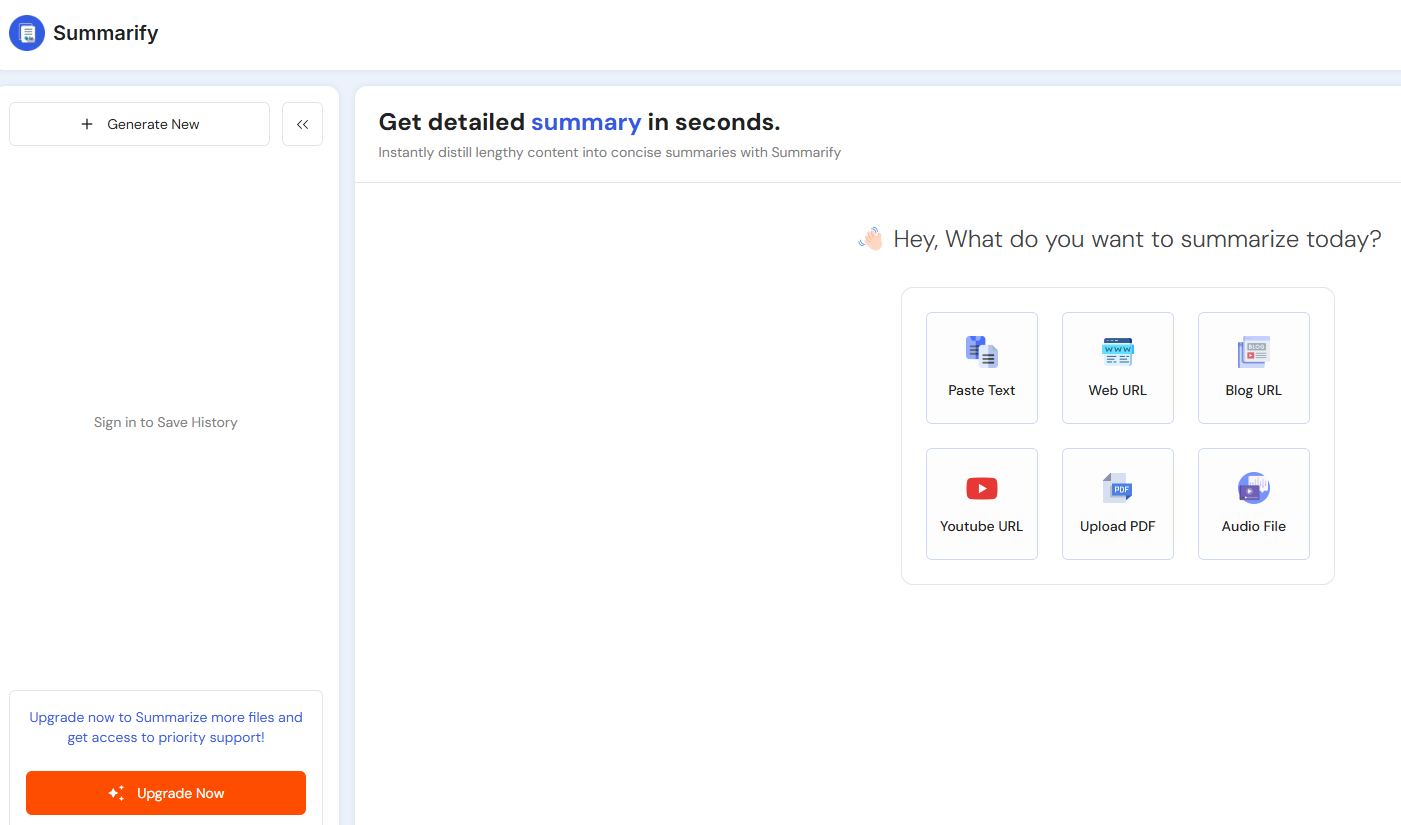

Are you tired of spending hours watching long videos just to find a few key pieces of information? In our fast-paced world, getting straight to the point is more important than ever. This is where artificial intelligence comes in, transforming how we consume content. Tools like Summarify AI offer a powerful solution by generating video summaries in various summary styles. You can now grasp essential insights quickly, freeing up your schedule for what matters most.
Summarify AI is a revolutionary application designed to make your video-watching experience more efficient. It uses the power of generative AI to create concise summaries of YouTube videos, allowing you to understand the core message without watching the entire thing. Think of it as your personal assistant for video content, distilling hours of footage into easy-to-digest highlights. This tool is perfect for students, professionals, and anyone looking to absorb information quickly.
Powered by advanced artificial intelligence, Summarify AI ensures that the summaries are not only short but also coherent and accurate. You can choose from over 15 different summary styles to match your specific needs, whether you want a simple overview or a detailed breakdown. By automating the summarization process, the app helps you stay informed and enhance your productivity like never before. The following sections will explore how it works and what features it offers.
The magic behind Summarify AI lies in its sophisticated use of generative AI. When you provide a YouTube video link, the application's AI analyzes the video's available transcript or captions. It intelligently processes the language to understand the context and identify the most crucial information.
From there, the tool extracts the key points and organizes them into a coherent summary. This isn't just a random collection of sentences; the AI works to present the information in a logical and easy-to-read format, ensuring you get a clear and accurate overview of the content.
You have the flexibility to choose from various summary styles. Whether you prefer a simple paragraph, a list of bullet points, or even flashcards, Summarify AI can generate the output in a format that works for you. You can then export these summaries as plain text, a PDF, or a Markdown file for sharing or future reference.
One of the great things about Summarify AI is its broad accessibility across different devices. The primary platform for the tool is Apple's ecosystem, with a dedicated mobile app available for iOS devices like the iPhone and iPad. This makes it incredibly convenient to summarize videos on the go.
For those who work on a desktop, Summarify AI also offers a Mac app and a powerful Chrome extension. The Chrome extension allows you to generate summaries directly from your browser, integrating seamlessly into your workflow whether you use Windows, Linux, or a Chromebook. This cross-platform approach ensures you can access your summaries from anywhere.
While there isn't a native app for Android users at this time, the Chrome extension provides a great alternative for accessing Summarify's features on a desktop. All your summaries can be saved and synced with iCloud, so you always have access to your information, regardless of which device you are using.
Summarify AI is more than just a simple summarizer; it's packed with key features designed to enhance your video summarization experience. The tool goes beyond providing a block of text and offers dynamic ways to interact with and understand video content. It’s built to help you quickly get to the core content of any video.
These features are particularly useful for digesting dense educational content or lengthy presentations. From customizable outputs to interactive elements, Summarify AI gives you the control to tailor the summarization process to your learning style. Let's look at some of the standout functionalities that make this tool so powerful.
The primary function of Summarify AI is to provide instant summaries of any YouTube video. All you need is the video link, and the app's advanced AI gets to work, delivering video summaries in seconds. This feature is a game-changer for anyone who needs to review a lot of video content but is short on time.
The accuracy of these summaries is generally high, as the AI is trained to understand context and identify key arguments. For the best results, the app works with videos that have accurate, available captions or transcripts. You can customize the output to fit your preferences with several formats, including:
This flexibility ensures you receive the information in the most useful way for you. Whether you need a quick glance or a deeper dive, Summarify AI delivers instant summaries that are both concise and easy to understand, and you can export them as plain text or other formats.
Summarify AI offers excellent customization options to meet your specific needs. With over 15 summary styles, you can choose the format that best helps you learn and retain information. Whether you're creating flashcards for studying or extracting data into a structured list, the app adapts to your goals.
A standout feature is the inclusion of timestamps with every summary. These aren't just numbers; they are clickable links that take you directly to the corresponding moment in the video. This allows you to effortlessly jump to a specific section for more context or to review a point in detail. Furthermore, the integration capabilities allow you to:
This seamless integration with other tools and platforms makes it easy to save, share, and reference your summaries. You can incorporate them into your notes, presentations, or documents without any hassle, making Summarify AI a versatile addition to your productivity toolkit.
Getting started with Summarify AI is simple and intuitive. You don't need any technical expertise to begin transforming long videos into concise summaries. This makes it an effective way for anyone to manage information overload, especially when dealing with complex or technical videos that require careful attention.
In the following sections, we'll walk you through some quick tutorials on how to use the app to its full potential. From uploading content to generating your first summary, you'll see just how easy it is to unlock a more efficient way of learning and working with video content.
Generating summaries with Summarify AI is incredibly straightforward. The primary method for uploading content is by simply pasting a YouTube video link into the app. Even better, the app can automatically detect a YouTube link copied to your clipboard when you open it, instantly starting the summarization process for you.
Once the link is processed, the tool gets to work generating summaries based on your selected style. This process is fast, giving you the key information you need in just a few moments. This ease of use removes any friction, making it a go-to tool for quick insights.
For longer videos like lectures or tutorials, you can take advantage of the chapter summaries feature. If a video has chapters, you can summarize them with a single tap. You can also choose to summarize specific sections of tutorials, allowing you to focus only on the parts that are most relevant to you, saving even more time.
To get the most out of Summarify AI, it's helpful to keep a few tips in mind. The summary accuracy largely depends on the quality of the video's captions. Videos with clear audio and accurate transcripts will yield the best results.
You can also improve the utility of your summaries by choosing the right style for your task. For instance, use the "Highly Detailed Summary" option for deep dives into complex topics to ensure no key concepts are missed. Once you have your summary, you can repurpose the information to enhance your learning. Here are a few ideas:
By actively engaging with the generated summaries, you can move beyond simple content consumption and toward deeper understanding. These strategies help you retain information more effectively and make the most of this powerful tool.
User feedback is a driving force behind the continuous improvement of Summarify AI. The developers actively listen to reviews and suggestions from the community to enhance the app's functionality and user experience. This commitment is evident in the frequent updates that introduce new features and address any issues.
Regular updates often include bug fixes, performance improvements, and even new summary styles requested by users. This responsive approach ensures the tool remains reliable, effective, and aligned with what its audience needs. The following sections will explore what users are saying and the common ways they benefit from the app.
Audience feedback for Summarify AI highlights its efficiency and convenience, particularly for professionals and students who deal with a high volume of video content. Many reviews praise its ability to distill long, technical videos into manageable summaries, which is seen as one of its key competitive advantages. Users appreciate how much time they save.
The app's design and user-friendly interface also receive positive mentions. Features that allow for customization and easy navigation are frequently cited as major benefits. The table below outlines some of the most praised features based on user reviews.
Feature
User Benefit
AI-Powered Summaries
Saves valuable time by quickly grasping key insights from videos.
Timestamped Navigation
Allows users to easily find and jump to specific moments in a video.
Multiple Summary Styles
Provides the flexibility to customize summaries for different needs, like learning or a quick overview.
This positive audience feedback underscores the app's value in making information more accessible. It confirms that Summarify AI effectively solves the common problem of information overload in the digital age.
Summarify AI is a versatile tool with a wide range of applications for different users. Its ability to deliver concise content makes it invaluable for anyone looking to learn or work more efficiently.
For students, the app is a powerful study aid. They can use it to quickly understand the main points of complex lectures or review hours of educational content in minutes. Professionals also benefit greatly by staying current with industry trends, summarizing conference talks, or getting key takeaways from training videos without sacrificing billable hours. Some common use cases include:
Ultimately, anyone who consumes video content can find value in Summarify AI. It helps you cut through the noise and focus on what’s truly important, making learning faster and more effective.
When you look at the landscape of AI summarization tools, you'll find many options available. However, not all summarizers are created equal. A direct comparison reveals that Summarify AI offers several unique competitive advantages that make it stand out from the crowd, especially for video content.
While some tools focus only on text, Summarify AI is built specifically for the video-first world we live in. Its specialized features for YouTube content provide a more integrated and powerful experience than many generic summarizers. Let's explore the specific benefits that give it an edge.
One of the most significant unique benefits of Summarify AI is its deep integration with the YouTube platform. It doesn't just summarize; it allows you to interact with the video content in new ways. The ability to ask questions about a video and get instant answers is a feature not commonly found in other tools.
Another of its competitive advantages is the combination of highly customizable summary styles and interactive timestamps. This pairing allows you to not only get a summary in your preferred format, like bullet points, but also to instantly navigate to the key moments in the video. Other unique features include:
These functionalities provide a more comprehensive and user-centric experience compared to tools that simply offer a block of summarized text. Summarify AI empowers you to engage with content on your own terms.
When using any digital tool, security and privacy are top concerns. The developers of Summarify AI are transparent about their data protection practices. The app provides clear links to its privacy policy and terms of use, allowing you to understand exactly how your information is managed.
The company outlines its app's privacy practices, detailing the handling of data to ensure user information is protected. This commitment to security means you can use the tool with confidence, knowing that your privacy is taken seriously.
Summarify AI is designed to process video content without compromising your personal data. By adhering to established privacy standards, the app builds trust with its users and provides a safe environment for enhancing productivity. Always be sure to review the privacy policy for the most detailed information.
KeywordSearch has an AI Audience builder that helps you create the best ad audiences for YouTube & Google ads in seconds. In a just a few clicks, our AI algorithm analyzes your business, audience data, uncovers hidden patterns, and identifies the most relevant and high-performing audiences for your Google & YouTube Ad campaigns.
You can also use KeywordSearch to Discover the Best Keywords to rank your YouTube Videos, Websites with SEO & Even Discover Keywords for Google & YouTube Ads.
If you’re looking to SuperCharge Your Ad Audiences with AI - Sign up for KeywordSearch.com for a 5 Day Free Trial Today!
In conclusion, Summarify AI is revolutionizing the way we digest content, providing quick and efficient summaries that save time and enhance understanding. With its robust features and user-friendly interface, it caters to a diverse audience, from students to busy professionals. By maximizing the accuracy of your summaries and integrating them seamlessly with your workflow, you can unlock valuable insights and boost productivity. Embrace the power of Summarify AI to transform your content consumption experience into something more manageable and effective. Don't miss out—get started today and see the difference for yourself!
Summarify AI is free to download and offers a limited number of free summaries. For unlimited use and additional features, you can opt for a monthly or yearly subscription. The app's availability on iOS and as a Chrome extension makes it easily accessible, with clear information on its privacy practices.
Summarify AI is available as a native mobile app for iOS devices, including iPhone, iPad, and Mac. While there is no dedicated Android app, its accessibility is extended through a Chrome extension that works on various desktop systems, still offering great customization and summarization features for all users.
The summary accuracy of Summarify AI is generally high, thanks to its advanced AI. For the best results, ensure the YouTube video has clear audio and accurate captions. Using its key features in an effective way, like selecting the right summary style, can further enhance the quality of the output.