December 27, 2025

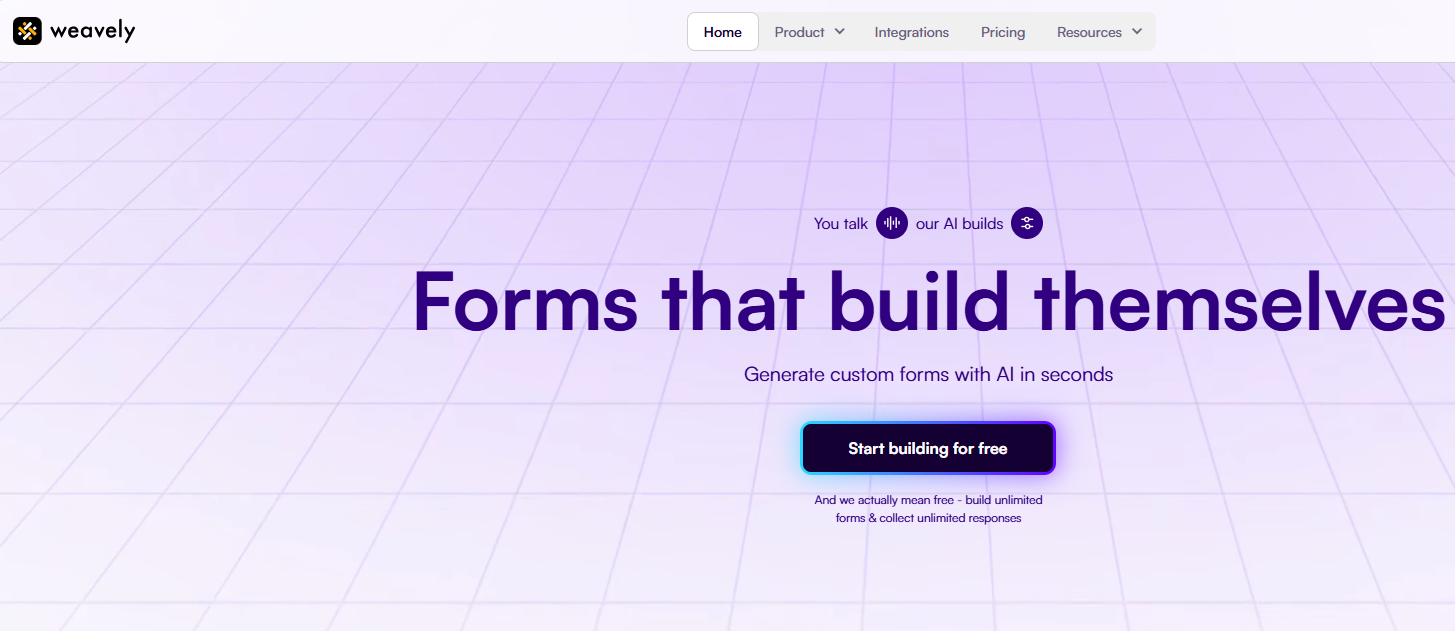

Are you tired of spending hours building forms? In today's fast-moving digital environment, creating effective and attractive forms shouldn't be a chore. An AI form builder can transform the entire process, using automation to make form generation faster and smarter than ever before. Imagine turning a simple idea into a fully functional form in minutes. This guide will show you how Weavely AI is changing the game, making powerful form creation accessible to everyone.
Weavely AI is a revolutionary form builder that harnesses the power of artificial intelligence to simplify form creation. Instead of dragging and dropping elements, you simply describe the form you need using text, voice, or even by uploading a PDF. The AI interprets your request and instantly generates a structured, well-written form.
This intelligent automation handles everything from question phrasing to the setup of conditional logic. The result is a professional-grade form that’s ready to go in a fraction of the time. Now, let’s explore what makes this tool different and how it uses AI to achieve these results.
Traditional form builders often require a lot of manual work. You have to write every question, arrange each field, and style every element by hand. This process of manual form building can be slow and repetitive, especially for complex surveys. Weavely eliminates these tedious steps by using AI to do the heavy lifting for you.
You can use plain language to tell the AI exactly what you need. For example, a simple prompt like "create a customer feedback form for my online store" is all it takes to get started. The system understands natural language, turning your ideas into a structured form without you needing to touch a single drag-and-drop tool.
In a direct comparison, building a mid-complexity form manually might take 15 minutes. With Weavely AI, the same form can be ready in under three minutes. This 80% time reduction highlights the immense efficiency and advanced functionality that sets it apart from older methods.
Weavely uses generative AI to understand your needs and produce high-quality forms. Think of it as an AI copilot for form generation. When you provide a prompt, the AI doesn't just create random questions; it draws upon its training in survey design best practices to craft questions that are clear, engaging, and optimized for accurate answers.
This smart approach means you get more than just speed. The AI helps you avoid common pitfalls in survey creation, ensuring your form is effective from the start. You can use Weavely AI to create smart forms for your website by simply describing your goal, whether it's capturing leads or gathering product feedback.
After the initial draft, you can continue to interact with the AI to make changes. Ask it to tweak the wording, adjust the design, or add more questions. This real-time iteration allows you to refine your form until it perfectly matches your vision, all without manual effort.
Weavely AI is packed with advanced features designed to make data collection effortless and effective. Beyond just generating questions, the platform automatically implements conditional logic, creating dynamic forms that adapt to user responses. This ensures a smoother and more personalized experience for your audience.
The AI form creator goes beyond what typical templates can offer, providing unique forms tailored to your specific needs. It also offers seamless integrations with the tools you already use. Let’s look closer at its smart question capabilities and powerful integration options.
One of the biggest challenges in survey design is asking the right questions. Weavely’s AI is trained on best practices, so it suggests questions that are clear, concise, and designed to gather the most useful information. This automation saves you from the guesswork and ensures your data is high quality.
Yes, Weavely AI absolutely supports advanced features like conditional logic. In fact, it's one of its standout capabilities. The AI can automatically set up logic flows based on the structure of your form, so you don't have to manually configure rules. This is a huge time-saver, especially for complex surveys with multiple paths.
This intelligent approach leads to several benefits:
A great form builder needs to fit into your existing workflow. Weavely AI offers excellent compatibility with a wide range of design and business platforms, ensuring you can connect your forms wherever you need them. This makes it easy to move data and maintain design consistency across your tools.
For designers, Weavely AI offers powerful plugins for popular tools. Yes, Weavely is compatible with platforms like Framer or Figma. This allows you to bridge the gap between design and deployment seamlessly, embedding your forms directly into your projects without having to recreate them from scratch.
Additionally, Weavely connects with essential business applications to streamline your data management. Key integrations include:
Weavely AI is a versatile tool used by a variety of professionals to streamline data collection. Marketers, product managers, and customer success teams are just a few of the groups leveraging its power. It’s ideal for anyone who needs to gather quality data quickly without becoming a survey expert.
From gathering customer feedback to conducting market research, the use cases are widespread. Its ability to integrate with platforms like Salesforce makes it especially valuable for teams focused on lead generation and customer relationship management. Let’s explore some specific applications for boosting leads and streamlining surveys.
Creating a lead generation form that converts can be challenging. Weavely AI simplifies this by helping you build engaging forms that encourage users to share their information, like emails and contact details. The AI can generate questions that are not only effective but also create a conversational and user-friendly experience.
You can create smart forms for your website by simply telling the AI you need a "lead generation form for a digital marketing agency." The tool will generate a form optimized for this purpose, helping you capture high-quality leads. This allows you to gather actionable customer feedback and valuable insights right from the start.
By using Weavely for lead generation, you can:
Whether you're conducting market research or organizing an event, efficient data collection is key. Weavely excels at streamlining survey design and registration processes. The AI can quickly generate a comprehensive event registration form, including options for online or in-person attendance, with just a simple prompt.
This level of automation frees up your team to focus on analyzing the data rather than building the collection tools. For market research, the AI’s ability to craft unbiased and effective questions ensures the integrity of your results, helping you make better business decisions.
Here's how Weavely simplifies these tasks:
A form should not only be functional but also match your brand's look and feel. Weavely AI offers powerful styling and embedding options to ensure your forms are a perfect fit. You can customize the design using AI and then easily embed the form on your website.
The platform's flexibility extends to its compatibility with various plugins and tools, allowing for seamless editing and integration. Below, we'll explore the specific styling features and how you can connect your forms to your existing digital ecosystem.
Weavely AI makes form styling incredibly simple. Instead of manually adjusting every font and color, you can use AI to do it for you. Just describe the design you want, such as "clean and modern" or "bold and playful," and the AI will apply a matching aesthetic to your form.
You can also upload your company logo, and Weavely will automatically extract your brand's colors and apply them for a consistent look. This feature saves a significant amount of time and ensures your forms always align with your brand identity. The design possibilities are vast, and no manual tweaking is needed.
As mentioned, Weavely AI is fully compatible with professional design tools, offering powerful plugins for a smooth workflow.
Once your form is created and styled, getting it onto your website is straightforward. Weavely AI is designed for easy embedding, allowing you to seamlessly integrate forms into any web page. This ensures a smooth user experience and keeps your audience within your digital environment.
Yes, you can absolutely integrate Weavely AI forms with your existing website tools. The platform is built for compatibility, offering connections to a variety of plugins and applications. This allows you to build a cohesive workflow where data flows automatically from your form into the systems you use every day.
Connecting your Weavely forms helps you streamline operations and make the most of your data. Popular connections include:
What are real users saying about Weavely AI? The customer feedback has been overwhelmingly positive. Professionals appreciate how the tool speeds up the form-building process, saving them valuable time while producing high-quality results. The reviews often highlight the platform's intuitive nature and excellent final product.
Users see Weavely as a major improvement in how data is collected, turning a typically mundane task into an engaging and user-friendly experience. Let's look at some visual examples and dive into specific reviews from businesses that are using the tool.
Seeing is believing, and the visual examples of forms created with Weavely AI speak for themselves. The AI form generator can produce a wide variety of professional-looking forms tailored to specific needs. For instance, a prompt for an order feedback form resulted in a slick, modern design with a blue color scheme.
Another example is an event registration form for a marketing conference, which was generated to accommodate both online and offline attendees. The AI understood the nuanced request and created a functional form to handle the logistics. These examples show the AI's ability to handle diverse and detailed prompts effectively.
You can find more visual examples and updated information on the Weavely AI website, which showcases how the tool can be used for:
Recent reviews from businesses and professionals praise Weavely AI for its speed, intelligence, and ease of use. Users often mention that what used to take hours now takes minutes, fundamentally changing their workflow. The quality of the AI-generated questions is another commonly cited benefit.
Linda Bergh, a Senior Customer Success Manager at Younium, shared her experience, stating, “Weavely made it really easy to build structured forms quickly. It’s intuitive, straightforward, and the end result looked great.” This sentiment is echoed across many reviews, where users appreciate both the process and the polished outcome.
The consensus in customer feedback is clear. Weavely is a game-changer for teams that need to collect actionable customer feedback without a dedicated research team.
Weavely AI offers incredible value by saving you time and improving your data collection process. The platform provides different subscription tiers to fit the needs of various users, from individuals to large enterprises. You can even start building forms with AI for free.
Each pricing plan is designed to provide access to a specific set of features, with higher tiers unlocking more advanced features and capabilities. Let's take a look at the different subscription options and help you decide which one is the best fit for you.
Weavely AI estructures its pricing across several subscription tiers to accommodate different user requirements. While specific costs are available upon contacting their team, the platform offers a free tier that allows you to start building AI-powered forms right away. This is a great way to experience the core functionality without any commitment.
Higher-tier plans are designed for professionals and businesses that require more advanced functionality, such as enhanced collaboration features, more extensive integrations, and higher submission limits. These plans provide the full power of Weavely, including unlimited forms and access to premium templates.
Here is a conceptual overview of the typical subscription tiers you might find, though you should contact Weavely for exact details.
Plan Tier
Best For
Key Features
Free
Individuals & Small Projects
Basic AI form generation, limited forms.
Pro
Professionals & Small Teams
Advanced features, more integrations, collaboration tools.
Enterprise
Large Organizations
Custom integrations, premium support, unlimited functionality.
Choosing the right pricing plan depends entirely on your specific needs and how you intend to use the tool. Start by evaluating the scale of your data collection efforts and the features that are most important to you.
If you're an individual or just getting started, the free plan offers fantastic value and a chance to explore the platform's core capabilities. For professionals, marketers, and teams who need to create forms regularly and require advanced features like complex integrations, a paid plan is the way to go. These plans unlock the full potential of Weavely.
Consider these points to find the best plan for you:
The AI form builder market is growing, but not all tools are created equal. While builders like Jotform, Typeform, and even Google Forms are introducing AI features, Weavely stands out with its AI-native approach. Many competitors add AI as a feature, but Weavely was built around it.
This fundamental difference impacts everything from ease of use to the depth of its automation functionality. Let's compare Weavely's performance and features against some of the other popular options available today.
When comparing Weavely to other AI form builders, the key differences lie in AI integration depth and design flexibility. Weavely excels at turning a single prompt into a fully styled and logically structured form. Its ability to automatically handle conditional logic and branding from a simple description is a significant advantage.
In contrast, some alternatives have more limited AI capabilities. For example, Typeform's AI assistant is great for generating questions but requires manual editing for all design elements. Cognito’s AI generator also lacks AI-powered design customization, limiting its flexibility compared to Weavely or Fillout.
Weavely AI is the ideal choice for professionals and teams who need to gather high-quality data efficiently but may not have deep expertise in survey design. It empowers users to create expert-level forms without the steep learning curve associated with professional editing tools.
Its focus on integrating into your existing workflow makes it perfect for busy teams. If you want to spend less time building forms and more time on data analysis and acting on insights, Weavely is built for you. It bridges the gap between a simple idea and a powerful data collection tool.
You should choose Weavely AI if you are one of the following:
KeywordSearch has an AI Audience builder that helps you create the best ad audiences for YouTube & Google ads in seconds. In a just a few clicks, our AI algorithm analyzes your business, audience data, uncovers hidden patterns, and identifies the most relevant and high-performing audiences for your Google & YouTube Ad campaigns.
You can also use KeywordSearch to Discover the Best Keywords to rank your YouTube Videos, Websites with SEO & Even Discover Keywords for Google & YouTube Ads.
If you’re looking to SuperCharge Your Ad Audiences with AI - Sign up for KeywordSearch.com for a 5 Day Free Trial Today!
In conclusion, Weavely AI stands out as a transformative tool in the realm of form building. With its advanced artificial intelligence capabilities, it simplifies the process of creating customized forms that cater to a variety of needs, from lead generation to surveys. Its unique features, such as smart question generation and seamless integrations, not only enhance user experience but also streamline workflows for businesses and professionals alike. Whether you're a designer looking to embed forms effortlessly or a business aiming to boost conversions, Weavely AI offers a robust solution tailored to your requirements. Don't miss out on revolutionizing your form creation process—try Weavely AI today and see the difference for yourself!
Not at all! Weavely AI is designed for simplicity. You can create complex forms using plain language prompts without writing a single line of code. The AI copilot handles all the technical aspects through smart automation, making form creation accessible to everyone, regardless of technical skill.
Yes, you can. Weavely AI offers excellent compatibility and provides plugins to ensure your forms fit perfectly into your existing workflow. You can easily embed forms on your website and connect them to other tools, creating a seamless automation process for your data collection and management.
Absolutely. Weavely AI supports advanced features like conditional logic and can even set it up for you automatically. This automation is a key part of its workflow, creating dynamic forms that adapt to user responses. It’s a powerful feature that saves significant time compared to manual setup.