December 17, 2025


Here is a quick overview of what you will discover about Whimsical AI:
Are you looking for a way to spark innovation and streamline your creative process? In today's fast-paced environment, generating fresh ideas efficiently is more crucial than ever. This is where Whimsical AI comes in. This innovative platform uses the power of artificial intelligence to revolutionize how you brainstorm and visualize concepts. It's a whimsical yet powerful tool designed to transform your ideation sessions, making it easier to bring your thoughts to life and collaborate with your team seamlessly.
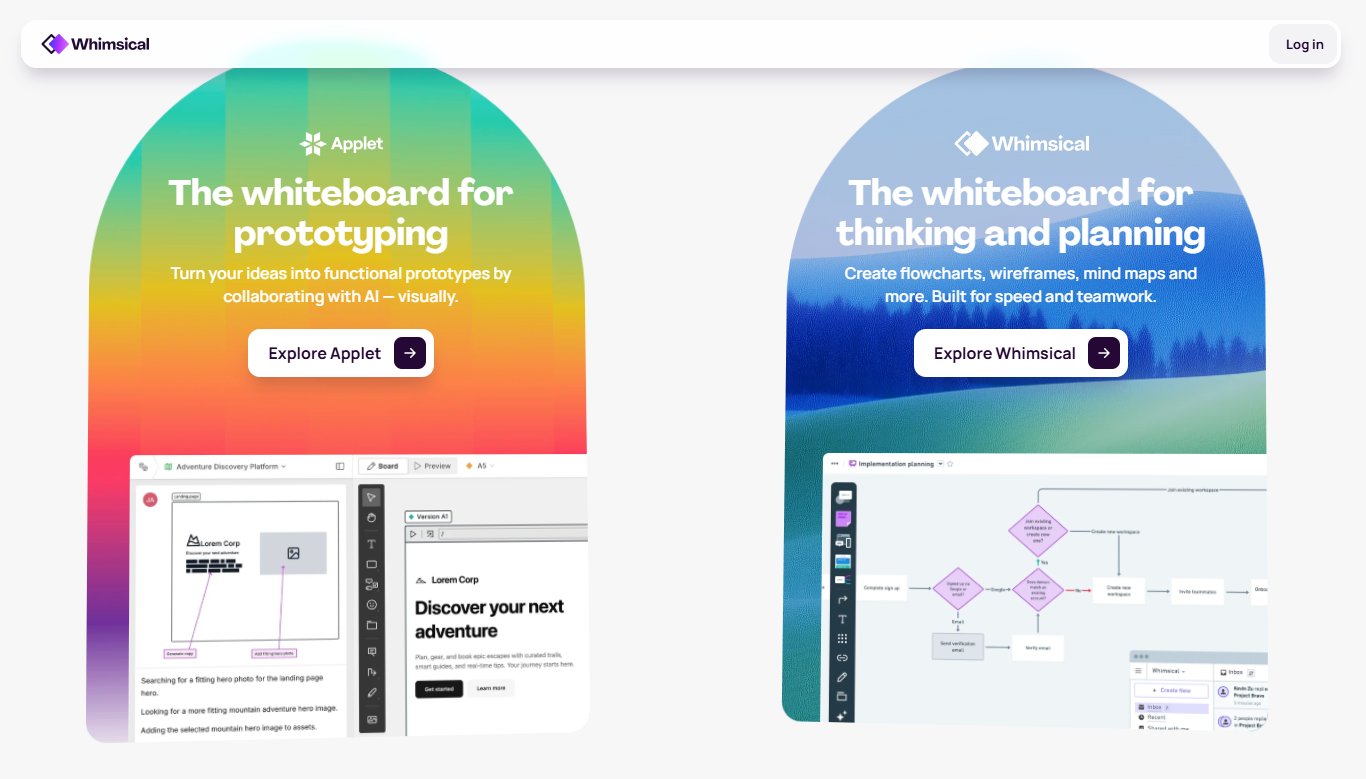
Whimsical AI is a visual collaboration platform that uses artificial intelligence to supercharge your creativity. It’s designed to help you and your team generate new ideas, organize thoughts, and plan projects in a visually engaging way. Think of it as a smart assistant that helps you overcome creative blocks and visualize complex concepts with ease.
This suite of AI tools is built to make brainstorming and planning faster and more intuitive. Whether you need to create a flowchart from a text description or map out a project, Whimsical AI provides the features to do it efficiently. Now, let’s explore how this technology works and how it differs from traditional methods.
At its core, Whimsical AI leverages advanced artificial intelligence technology to understand your needs. You can input ideas using natural language, and the AI will help generate visual aids like mind maps and diagrams. This process simplifies the initial phase of ideation, allowing you to focus on refining your concepts rather than building them from scratch.
The platform is designed to be a partner in your brainstorming process. When you feel stuck, its AI-powered suggestions can provide the spark you need to keep moving forward. This feature helps you explore different angles and possibilities that you might not have considered on your own, making your brainstorming sessions more productive.
By automating parts of the creative workflow, Whimsical AI lets you ideate faster than ever. It provides instant access to fresh ideas and insights, encouraging you to think outside the box. This streamlined approach helps ensure your creative energy is spent on innovation, not on manual organization.
Unlike traditional, often complex diagramming tools, Whimsical AI prioritizes speed and simplicity. While manual tools give you complete control, they can be slow and require a steep learning curve. Whimsical AI’s use of automation allows you to create a diagram or flowchart in seconds just by describing what you need.
This tool shines where others become cumbersome. Instead of manually connecting shapes and lines to create sequence diagrams, you can let the AI build the initial structure. This frees you up to focus on the content and logic of your diagram.
Whimsical AI offers several advantages over traditional platforms:
Whimsical AI is packed with powerful functionalities designed to enhance your creative projects. Its AI-powered features allow you to generate everything from flowcharts to wireframes with minimal effort. You can use sticky notes for quick brainstorming, mind maps to organize thoughts, and docs to align your team.
The platform also provides a vast collection of templates to get you started quickly. These features work together to create a unified visual workspace where your ideas can grow. Let’s look closer at how its diagram creation and smart templates can improve your process.
One of the standout features of Whimsical AI is its ability to automatically generate a diagram from simple text prompts. You can describe a process in plain language, and the artificial intelligence will instantly create a visual representation. This automation saves you the time and effort of building complex flowcharts from scratch.
Have you ever spent hours perfecting the layout of a diagram? Whimsical AI takes care of that for you. The AI intelligently arranges elements to create a clean and professional-looking design, allowing you to concentrate on the information itself. You can then easily refine the layout to fit your specific needs.
This powerful automation makes creating flowcharts and diagrams accessible to everyone, regardless of their design experience. It’s like having a design assistant who creates a solid first draft, giving you a head start on visualizing your ideas and workflows.
Whimsical AI offers a rich library of smart templates to accelerate your workflow. Instead of starting with a blank canvas, you can choose from pre-designed templates for common tasks like project management, user journey mapping, and strategic planning. These templates provide a structured starting point, which you can customize.
The platform’s automatic suggestions are another game-changer. As you work, the AI provides relevant ideas and information to help you overcome creative hurdles. This feature is invaluable for brainstorming sessions, ensuring you never run out of fresh perspectives to explore.
These features help streamline your entire process.
In the world of product development, clear visualization and rapid ideation are key. Whimsical AI provides the tools to map out new ideas, document features, and plan user journeys effectively. Its AI tools can even assist with data analysis by helping you visualize information and spot trends.
Product teams can use this platform to streamline their entire workflow, from initial brainstorming to final documentation. It helps teams align on concepts and communicate plans visually. Let’s examine how it helps with user journey mapping and collaborative brainstorming.
User journey mapping is essential for understanding how customers interact with your product. Whimsical AI makes this process much simpler. Project managers can use its AI-tools to quickly generate and visualize each step of the user experience, identifying pain points and opportunities for improvement.
The platform’s intuitive interface allows you to create detailed maps that are easy for the entire team to understand. This visual clarity ensures everyone is on the same page regarding the user's experience, from the first touchpoint to the last.
By streamlining the user mapping workflow, Whimsical AI helps teams build more empathetic and user-centric products. You can quickly iterate on your maps, incorporate feedback, and ensure your development efforts are focused on what truly matters to your users.
Whimsical's infinite whiteboards provide the perfect canvas for team brainstorming. Multiple team members can work on the same board in real-time, adding ideas, comments, and visuals simultaneously. This collaborative environment fosters a dynamic and interactive ideation process.
You can use the AI tools to quickly generate a mind map to structure your brainstorming session. As ideas flow, the AI can suggest related concepts, helping the team explore every possibility. This ensures a more comprehensive and innovative outcome.
Collaboration is at the heart of Whimsical's design.
Effective collaboration often depends on how well your tools work together. Whimsical AI enhances teamwork by offering seamless integrations with popular productivity tools. This allows team members to share work, gather feedback, and stay aligned without constantly switching between apps.
By connecting with the software you already use, Whimsical becomes a central hub for visual collaboration. This ensures that your diagrams, mind maps, and plans are easily accessible where your team does its work. Let’s look at how these integrations and sharing features boost productivity.
Whimsical AI integrates smoothly with a variety of productivity tools to enhance your workflow. You can embed your visual documents directly into platforms like Notion, Jira, and Slack. This ensures that your team has access to the latest diagrams and plans right where they are having conversations and managing tasks.
These integrations support automation and create a more efficient project management process. For example, linking a flowchart in Jira helps developers understand a new feature's logic without leaving their primary tool. This connectivity reduces friction and keeps everyone in sync.
Popular integrations include:
Real-time collaboration is one of Whimsical’s greatest strengths. You can share a link to your board, and team members can jump in to view or edit instantly. This feature is perfect for remote teams and virtual workspaces, as everyone can see changes as they happen, fostering a sense of shared presence.
Gathering feedback is just as easy. Team members can add comments directly to specific elements on a board, making discussions contextual and clear. This eliminates the need for long email chains and ensures that all feedback is organized in one place.
This seamless sharing and feedback loop accelerates your project management cycle. Ideas can be discussed, refined, and approved much faster, allowing your team to move from concept to execution with greater speed and alignment.
Ready to try Whimsical AI? Getting started is straightforward. With a few simple steps, you can set up an account and begin transforming your workflow. The platform is designed to be intuitive, so you can jump right into creating your first project without a long onboarding process.
You can begin by visiting the official website and signing up for a free account. From there, you can explore the different tools and templates available to support your project management needs. Let's walk through setting up a project and some tips for new users.
Your first project setup in Whimsical is designed to be quick and easy. After signing up on the official website, you can create a new board to start your work. You have the option to begin with a blank canvas or choose from a variety of templates to guide your initial layout.
Once your board is created, you can begin adding ideas. Use the AI features to generate a mind map or flowchart, or start manually with sticky notes and shapes. The drag-and-drop functionality makes it simple to organize elements and build out your visual workflow.
To get your project started smoothly, follow these steps:
Whimsical AI is exceptionally friendly for beginners and non-technical users. Its clean interface and intuitive controls mean you don't need any special training to start creating professional-looking visuals. The best way to learn is to simply jump in and start experimenting.
If you're unsure where to begin, let the AI assistant help. Try giving it a simple text prompt to generate a flowchart or mind map. This is a great way to see the platform's power in action and provides a starting point that you can easily edit and customize.
Here are a few tips to help you get comfortable:
While Whimsical AI is a powerful tool, it's always good to know what alternatives are available. Several other platforms offer features for diagram creation, mind mapping, and team collaboration. Some of these AI tools may offer different functionalities or cater to more specific needs.
Exploring these options can help you find the perfect fit for your team's workflow. Some tools might focus more on technical diagramming, while others prioritize different aspects of collaboration. Let's compare Whimsical with some other options and look at their pros and cons.
When comparing Whimsical AI to alternatives, the main difference often lies in the balance between power and simplicity. Many complex diagramming tools offer a vast array of features for creating highly technical diagrams like UML or sequence diagrams, but they often come with a steep learning curve. Whimsical focuses on making the most common diagramming tasks fast and effortless.
Other AI tools in the visual collaboration space may offer similar features but with a different emphasis. For example, a tool like Guru focuses more on knowledge management, while Whimsical is centered around ideation and planning.
When evaluating your options, it's important to weigh the pros and cons based on your team's needs. Whimsical AI's main advantage is its blend of powerful AI features with an incredibly user-friendly interface, making it perfect for fast-paced, collaborative environments.
However, teams that require very specialized or advanced features for technical diagramming might find some alternatives more suitable. These tools often provide more granular control at the expense of speed and ease of use. The choice depends on whether your priority is rapid workflow or detailed specification.
Consider these factors when choosing a tool:
KeywordSearch has an AI Audience builder that helps you create the best ad audiences for YouTube & Google ads in seconds. In a just a few clicks, our AI algorithm analyzes your business, audience data, uncovers hidden patterns, and identifies the most relevant and high-performing audiences for your Google & YouTube Ad campaigns.
You can also use KeywordSearch to Discover the Best Keywords to rank your YouTube Videos, Websites with SEO & Even Discover Keywords for Google & YouTube Ads.
If you’re looking to SuperCharge Your Ad Audiences with AI - Sign up for KeywordSearch.com for a 5 Day Free Trial Today!
In conclusion, Whimsical AI is revolutionizing the creative process by seamlessly merging technology with creativity. Its unique capabilities, such as AI-powered diagram creation and smart templates, empower users to generate ideas and collaborate effectively. Whether you're mapping out user journeys or brainstorming with a team, Whimsical AI provides an intuitive platform that enhances productivity and innovation. With numerous integrations and real-time feedback features, it fosters a collaborative environment that allows teams to work together effortlessly, regardless of their location. If you’re curious about how Whimsical AI can elevate your creative projects, don’t hesitate to explore its features and see the difference it can make!
Yes, it can. Whimsical AI uses artificial intelligence to turn text prompts into a visual diagram. This automation is one of its most powerful features, allowing you to use its AI tools to quickly generate flowcharts and mind maps, dramatically speeding up your workflow and ideation process.
Absolutely. Whimsical is ideal for remote teams and virtual workspaces. Its real-time sharing and collaboration features allow team members to work together on the same board simultaneously, no matter where they are. This makes it easy to brainstorm and provide feedback as if you were in the same room.
New users have access to plenty of support and resources. The official website features extensive help docs, tutorials, and templates to guide beginners. The intuitive design also makes it easy to learn by doing, and the Pro plan offers priority support for more direct assistance when needed.