December 1, 2025

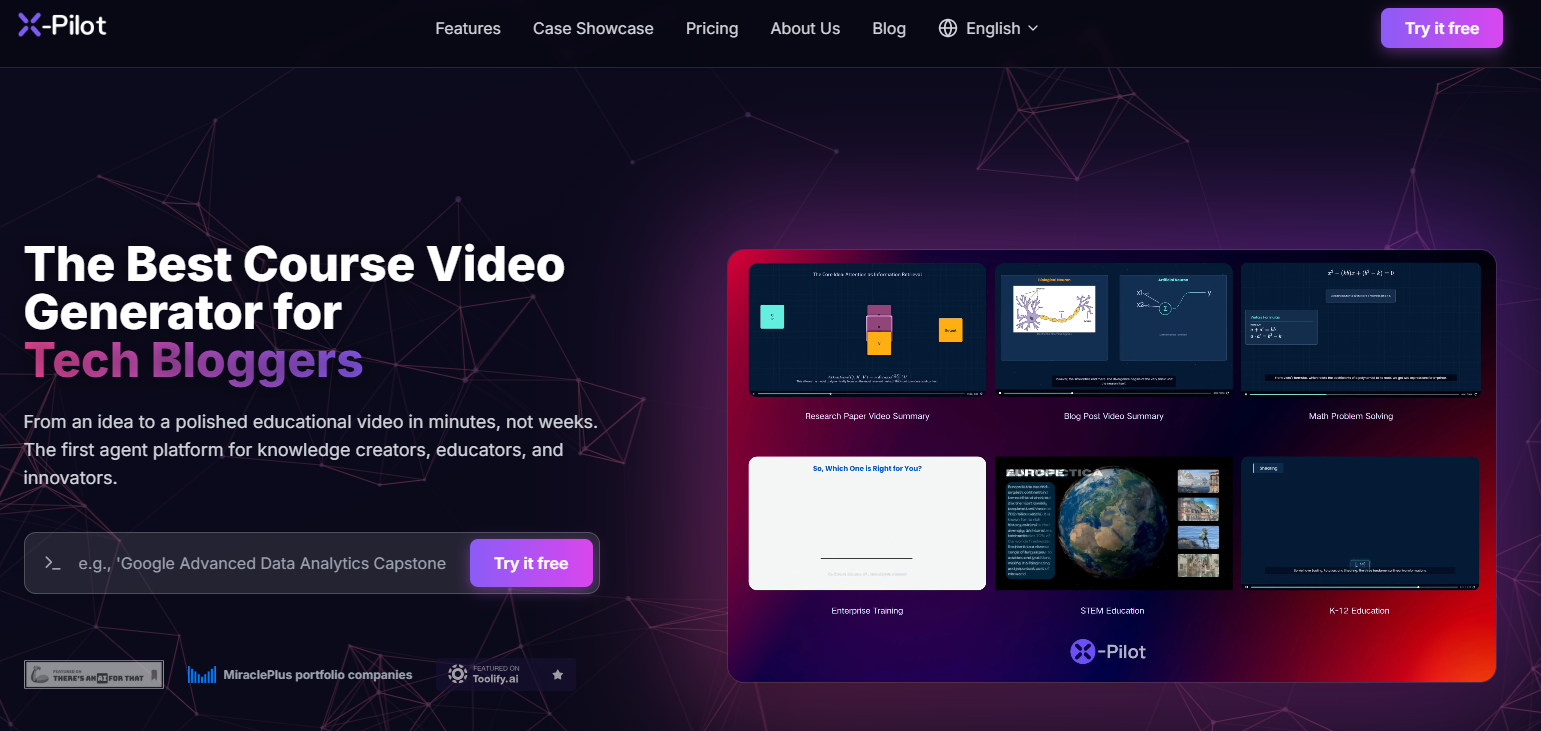

Are you tired of the time and complexity involved in making videos? You are not alone. For any creator, the thought of complicated editing software can be discouraging. Thankfully, the world of AI and automation is changing the game. Tools like X Pilot AI are designed to simplify the entire process, allowing you to transform your ideas into engaging videos effortlessly. This platform handles the heavy lifting so you can focus on what matters most: your message.
If you're looking for an alternative to traditional methods of video production, X Pilot AI is a strong choice. This platform streamlines the creation of explainer and tutorial videos by automating much of the editing work. It turns your scripts into animated scenes, helping you achieve professional results without a steep learning curve.
With X Pilot, you can expect impressive output quality and an intuitive experience. The platform is designed to help you produce polished videos faster than you ever thought possible, making it a powerful tool for educators, marketers, and content creators.
One of the biggest advantages of X Pilot AI is how accessible it is for everyone. You don’t need any professional knowledge or extensive background in video production to get started. The platform is built for users with little editing experience, automating complex tasks so you can focus on your content. The user-friendly interface guides you through the process, making it incredibly simple to navigate.
This focus on simplicity means you can create high-quality educational videos with minimal effort. The AI handles script structuring and visual generation, reducing your workload to the absolute minimum. You get to control the final look and feel without getting bogged down in technical details.
X Pilot AI empowers you to bring your ideas for explainers and tutorials to life quickly. It removes the typical barriers to video creation, making it a perfect starting point for anyone wanting to produce engaging content without the usual hassle.
Ready to make your first video? You’re in the right place. Getting started with X Pilot AI is a straightforward process designed to be a quick way to produce content. Whether you're working on small projects or a series of tutorials, the platform makes it easy to achieve excellent output quality.
The platform works by turning your written content into animated visuals. You provide the script or key ideas, and the AI helps structure the scenes, select visuals, and generate a voiceover. You can then review and tweak the details before exporting the final video.
Here’s a simple breakdown of the steps:
X Pilot AI stands out because of its powerful key features that blend AI automation with user control. The platform isn't just about making videos faster; it's about making them better and with less effort. This combination of smart tools makes it a strong choice for anyone serious about producing quality video content.
From AI-driven scriptwriting to customizable animations, the platform offers a balanced approach. You get the speed of automation without sacrificing your ability to fine-tune the final product. Let's explore some of the specific tools that contribute to its high output quality.
While many different video creation tools offer rigid templates, X Pilot AI takes a more flexible approach. The platform uses AI to structure your video, which functions like smart templates for explainers and tutorials. It automatically generates scenes based on your script, giving you a strong starting point that you can fully customize. This means you get the convenience of a template with far fewer restrictions.
You can edit the animation layers, apply custom branding, and even choose from premium AI voices or clone your own on higher-tier plans. These options allow you to tailor each video to your specific custom needs. The platform also offers competitive prices, ensuring you can access advanced features without breaking the budget.
The pricing plans are designed to scale with your needs, from a free trial to enterprise solutions.
Plan Name
Monthly Price
Key Features
Free
$0
3 minutes of 720p video per month, watermarked.
Creator
$9
25 minutes of HD video, no watermarks, premium voices.
Pro
$29
100 minutes of 4K video, voice cloning, team access.
Enterprise
Custom
SSO, bespoke AI training, and options for large organizations.
A key strength of X Pilot AI is its ability to fit into your existing workflow through smart integration options. While it may not connect directly to every app, its flexible export features allow you to move your content between platforms seamlessly. This makes it a valuable asset for marketers, educators, and product teams who rely on various tools.
The platform allows you to export your final videos in multiple formats. This means you can easily incorporate your creations into presentations, reports, and websites. For example, exporting a video summary as a PDF or PPT file lets you share key insights with teams that use different data tools or design tools.
This functionality enhances its versatility, allowing you to:
X Pilot AI is more than just a video maker; it's a tool designed to boost your entire knowledge ecosystem. By simplifying the process of creating educational videos, it empowers you to share information more effectively. This focus on knowledge creation makes it a game-changer for teachers, trainers, and thought leaders.
As the first agent platform of its kind, it streamlines how you produce and distribute instructional content. You can build a library of high-quality tutorials and explainers that are easy to update and share, fostering a richer learning environment for your audience.
Did you know you can use X Pilot AI for more than just traditional videos? For those in the UX/UI field, it can be a surprisingly useful tool for quick prototyping and visualization. While not a dedicated design app, its features let you create animated mockups to demonstrate user flows and interactions.
You can use the editable animation layer to control every visual element and bring your ideas to life. This is perfect for showcasing design patterns or explaining the functionality of a new feature. The ability to quickly generate and adjust animations makes it ideal for communicating design concepts to your team or stakeholders.
Instead of static wireframes, you can produce a dynamic presentation that clearly illustrates your vision. It’s a creative way to use the platform for UX/UI prototyping, helping you get feedback and approval faster.
X Pilot AI is an excellent fit for schools, universities, and creators of online courses. Its simplicity and speed enable educators to produce quality content without needing a video production team. For large organizations, enterprise plans offer custom solutions to manage content creation at scale.
To get the most out of the platform, knowledge creators should adopt a few best practices. Planning your script beforehand helps the AI generate more accurate and relevant scenes. Using the custom branding feature ensures consistency across all your educational materials, reinforcing your institution's identity.
Here are some tips for success:
When it comes to any new tool, hearing about an honest experience from real users is crucial. Customer satisfaction with X Pilot AI is notably high, with many praising its balance of simplicity and power. The overall user experience is frequently highlighted as a major plus.
Users often point to the impressive output quality and the sheer speed of creation as standout benefits. People appreciate being able to produce professional-looking videos without the steep learning curve of other software. Now, let's explore what the community is saying about the platform and the support available.
Digging into community reviews reveals a positive consensus on X Pilot AI's performance. Users consistently praise the high output quality, noting that the visuals are sharp and professional. Compared to other video tools, its ability to deliver polished results so quickly is a frequently mentioned advantage.
The user-friendly interface is another big win. Beginners find it easy to navigate, allowing them to create content right away. However, some reviews mention the limitations of the free plan, such as the presence of watermarks on videos and the monthly minute cap. Most agree that the paid plans offer significant value by removing these restrictions.
Overall, the feedback suggests that both video quality and usability are top strengths. While the free plan is great for testing, serious creators will likely find the paid subscriptions to be a worthwhile investment for unlocking the platform's full potential.
To help you master the platform, X Pilot AI provides a range of official learning resources. Like many top-tier software tools, it likely offers comprehensive documentation that walks you through every feature. These guides are perfect for learning at your own pace and troubleshooting any issues you might encounter.
Beyond static guides, you can expect to find various support channels to assist you. These resources are designed to ensure you have a smooth experience, whether you're a new user or an expert exploring advanced features. Many platforms like this offer direct support via email or chat to answer your questions quickly.
To get help and learn more, you can typically look for:
KeywordSearch has an AI Audience builder that helps you create the best ad audiences for YouTube & Google ads in seconds. In a just a few clicks, our AI algorithm analyzes your business, audience data, uncovers hidden patterns, and identifies the most relevant and high-performing audiences for your Google & YouTube Ad campaigns.
You can also use KeywordSearch to Discover the Best Keywords to rank your YouTube Videos, Websites with SEO & Even Discover Keywords for Google & YouTube Ads.
If you’re looking to SuperCharge Your Ad Audiences with AI - Sign up for KeywordSearch.com for a 5 Day Free Trial Today!
In summary, X Pilot AI revolutionizes the way you create engaging videos, making it accessible for everyone, regardless of their experience level. With user-friendly features and pre-built templates, crafting educational content has never been easier or more enjoyable. The platform not only streamlines the video creation process but also enhances the quality of your output, ensuring that your tutorials and explainers stand out. Embracing X Pilot AI can transform your approach to video production, empowering you to deliver exceptional content effectively. Ready to elevate your video-making skills? Get started with X Pilot AI today and see the difference for yourself!
Absolutely. X Pilot AI is designed for beginners. It requires little editing experience and no professional knowledge, automating the process to keep your effort at an absolute minimum. It’s a perfect tool for anyone focused on knowledge creation who wants to avoid a steep learning curve.
Yes, X Pilot AI uses an AI-driven structuring process that functions like smart templates. It automatically generates scenes for your explainer or tutorial videos, giving you a great starting point with minimal effort. This makes it more flexible than many different video creation tools with rigid templates.
X Pilot AI offers integration through its flexible export options. You can save your videos as MP4, PPT, or PDF files, allowing you to use them with various design tools and data tools. This helps product teams and other users meet their custom needs by fitting video content into existing workflows.